GST invoices that split the tax for you, payment reminders on WhatsApp, and a cash forecast that warns you before GST is due on the 20th.GST invoices that split the tax, reminders on WhatsApp, and a cash forecast that warns you before GST is due.
2 invoices free. No card. Then ₹399 a month or ₹2,999 a year, GST included.2 invoices free · No card · then ₹399/month
Coming soon. Use it in your browser today.
7:20
GST-readyCGST, SGST, IGST and UTGST by place of supply
Phone and computerThe same books on both, in any browser
Encrypted, never soldYour books are yours, to delete any time
Made in IndiaIn rupees, lakhs and your financial year
01Cash Radar
See your money 2 months ahead.
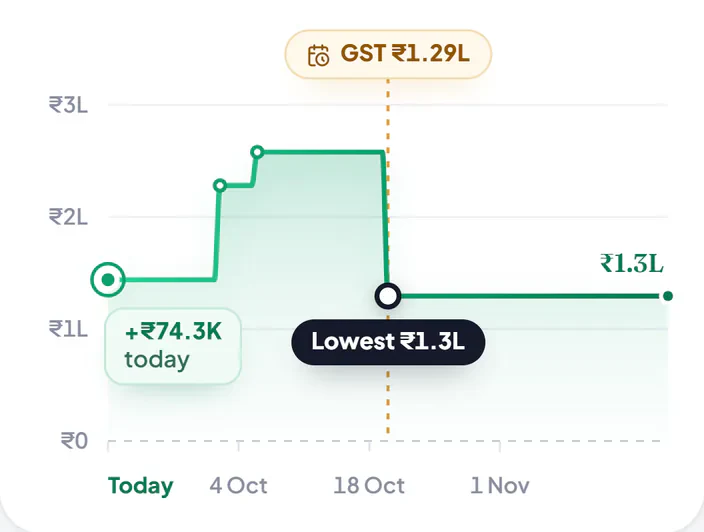
See how much money you will have on every day of the next 2 months. Cash Radar learns when your customers usually pay you, and when your GST is due. You do not need to link your bank.
It counts money from your customers and your GST. Rent, salaries and supplier bills come later.
This is the real app, with a sample business. Move your mouse along the chart. Then try the switch.Slide your finger along the chart. Then try the switch.
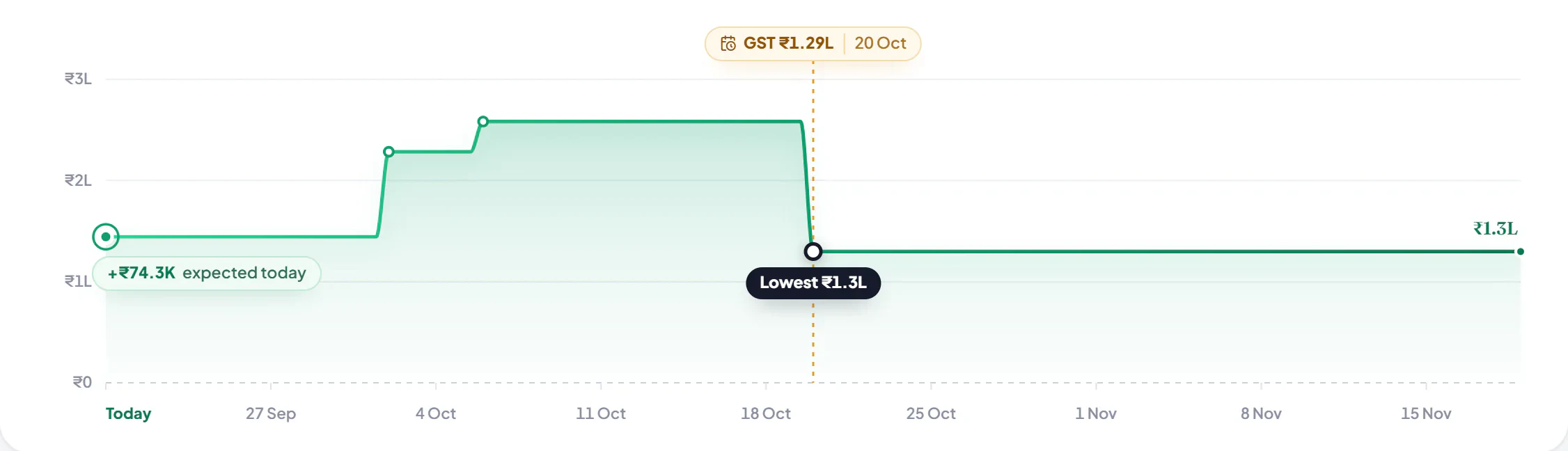
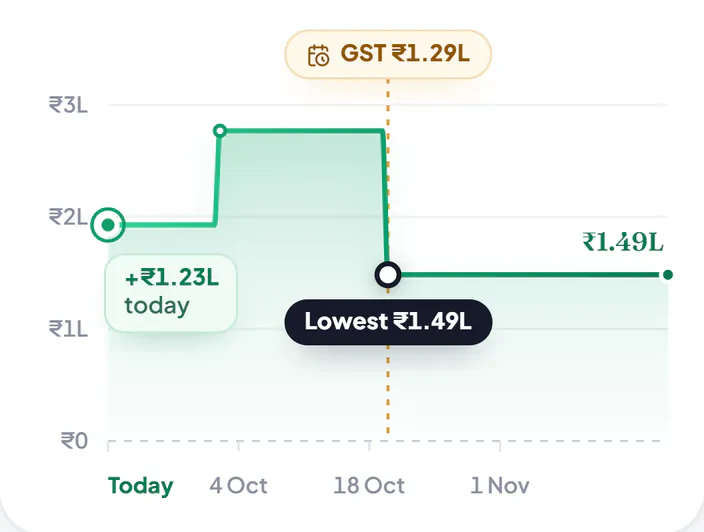
Your money, next 60 days
Money coming in from customers, and GST going out, day by day.
Your money
A customer pays
GST due
Lowest day
Cash today
₹70K
+Coming in from customers
₹1.88L
−GST to pay
₹1.29L
=Left on 19 Nov
₹1.3L
Point at any daySlide along the chart
What if
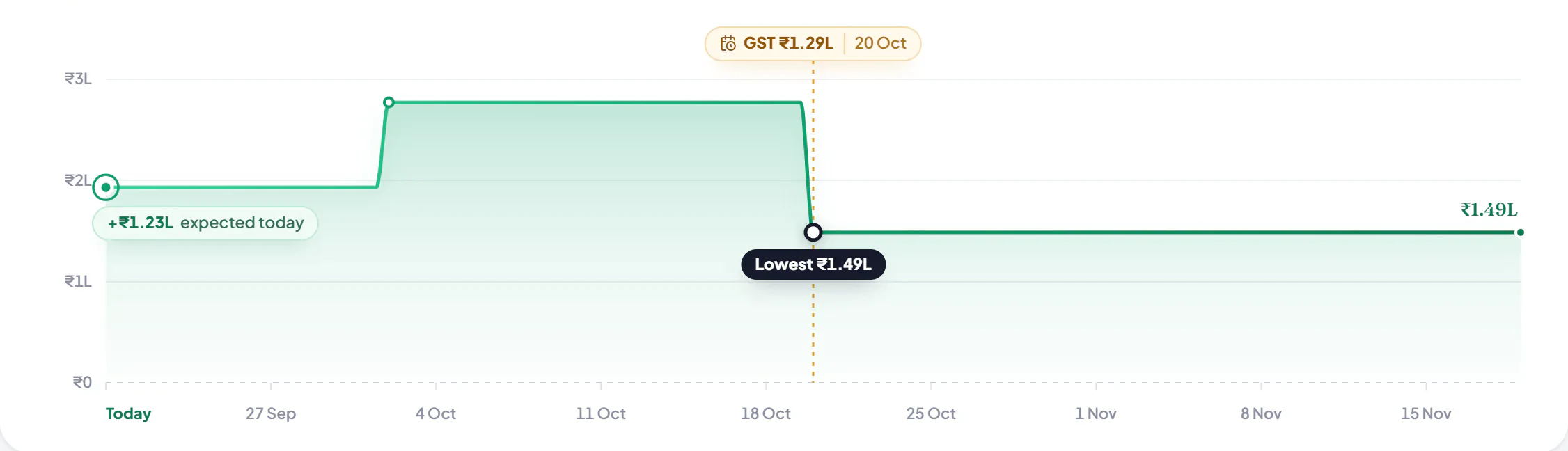
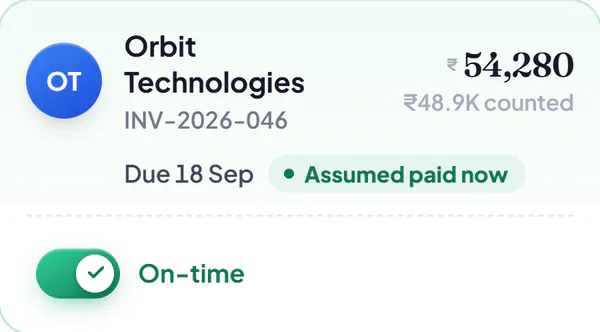
Turn on “pays on time” for a customer. See the difference.
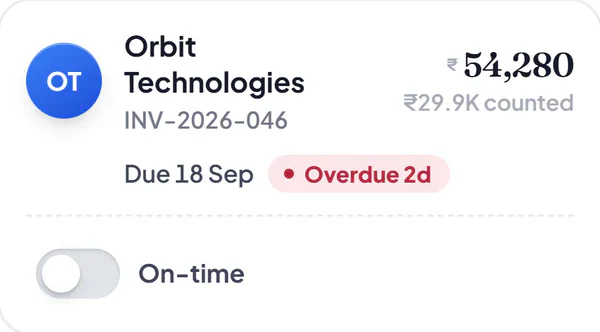
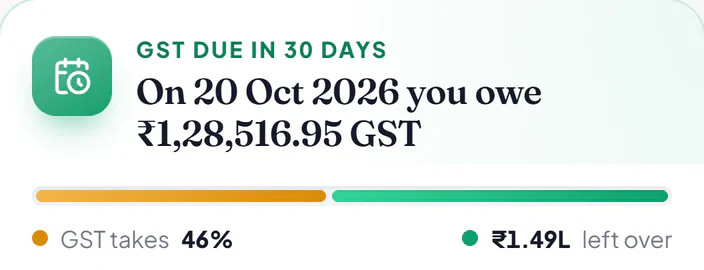
Orbit Technologies is a new customer, so the app is not sure when they will pay their ₹54,280. Tap the switch on their bill. Your lowest day, the chart and the GST card all change together.
Your lowest day
Tap the switchon Orbit’s bill
In 12 days · Fri 2 Oct
It learns when each customer usually pays you.
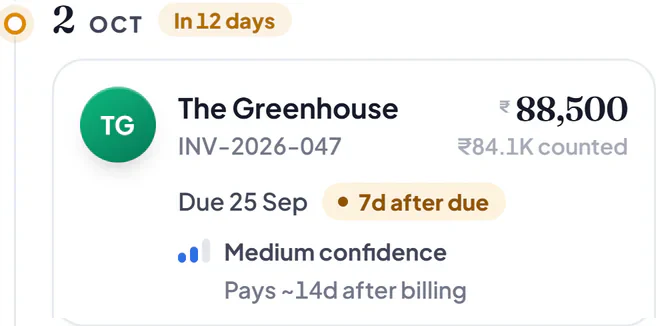
The Greenhouse usually pays about 14 days after the bill. So the app expects their ₹88,500 on 2 Oct, a week after the due date.
In 30 days · Tue 20 Oct
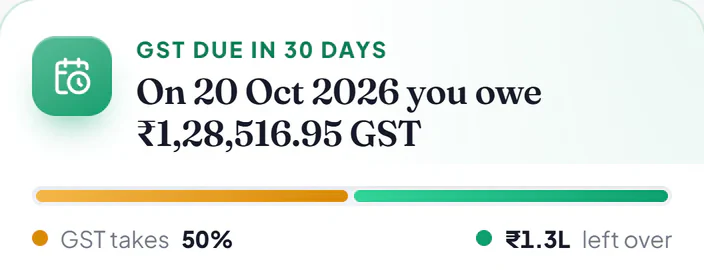
It reminds you that GST is due on the 20th. You are never caught short.
The GST on the 8 invoices you made in September is due on 20 October, even if your customers have not paid you yet. Here you can pay it and still have money left.
Today · Sun 20 Sep
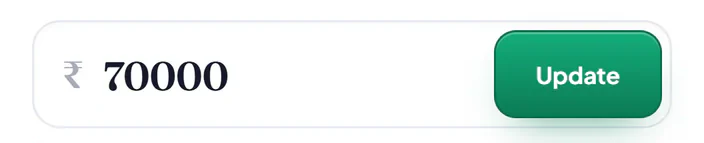
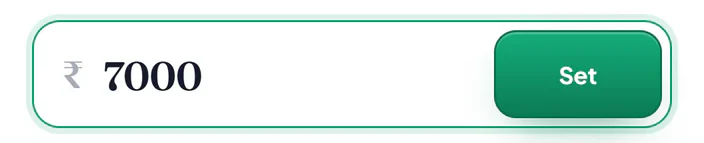
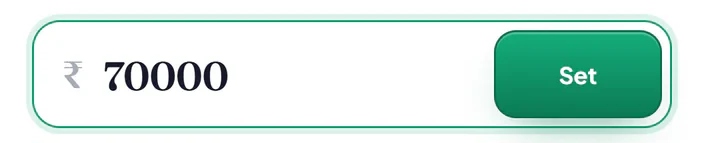
Type in the cash you have today. One number to start.
Here it is ₹70,000. The app works out the rest from your invoices.
02Invoice designs
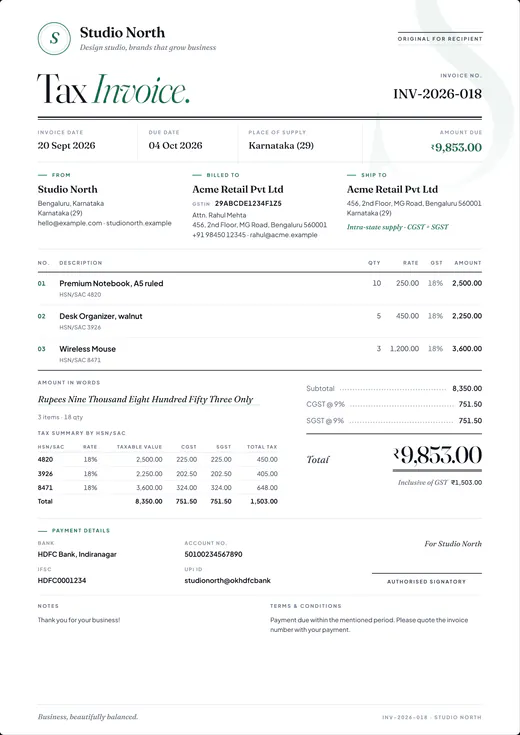
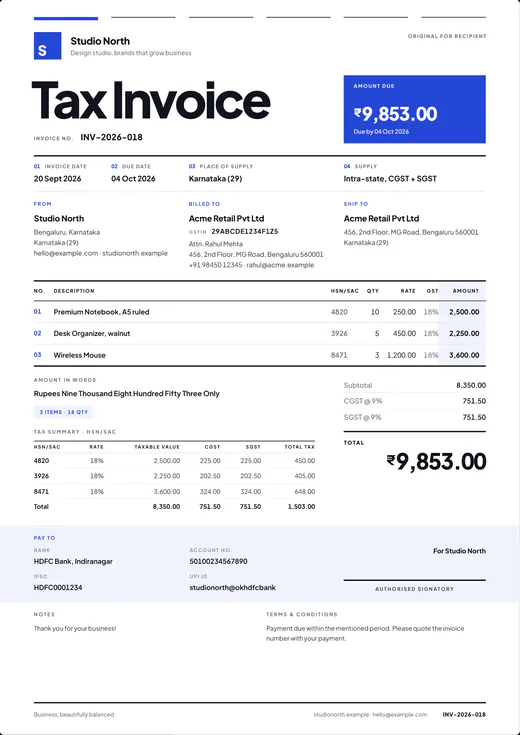
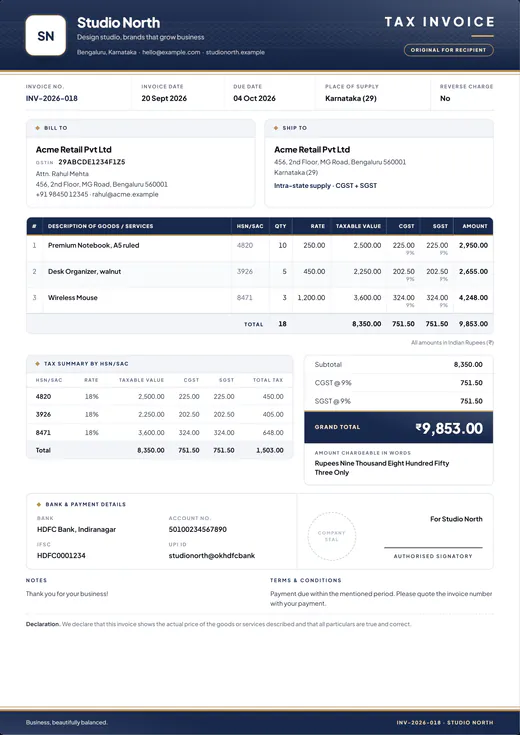
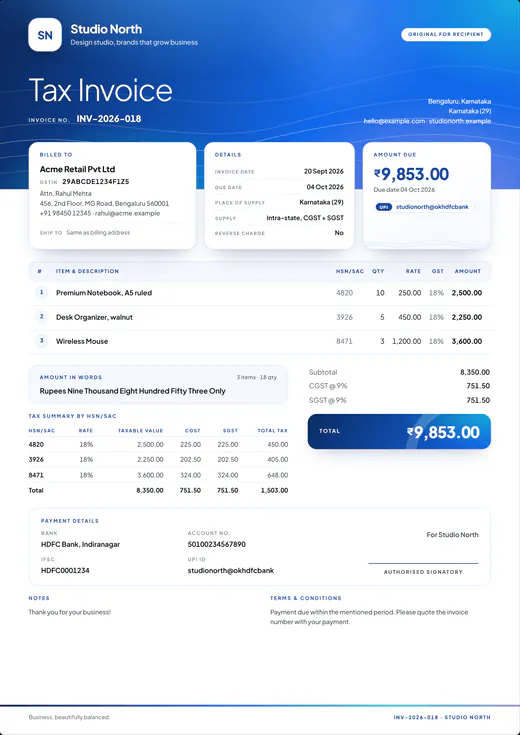
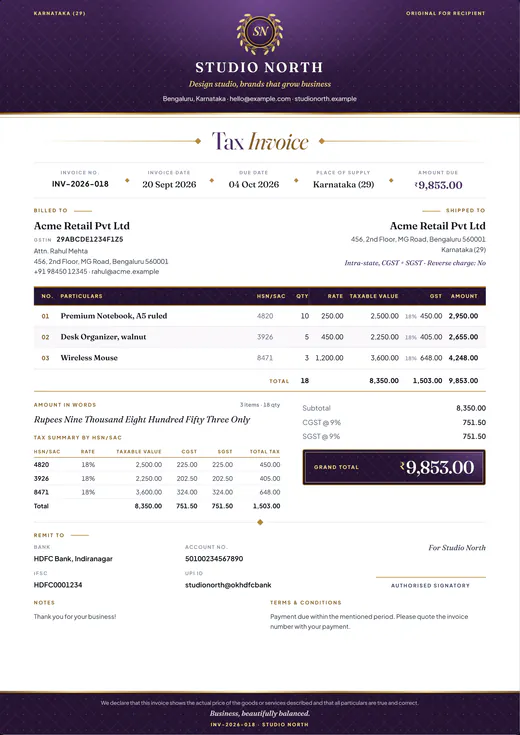
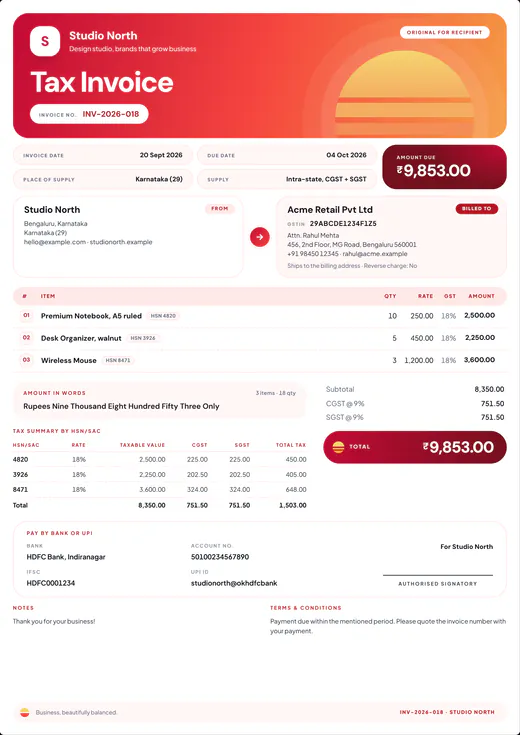
Six designs. Every one a proper tax invoice.
Pick a design, add your logo and accent colour, and every invoice carries the CGST and SGST (or IGST) split, an HSN/SAC tax summary, the amount in words, and your UPI and bank details.
Folio
Editorial serif type with fine green rules. Quietly classic.
03Bill and get paid
Bill a customer, right here.
Type a customer's GSTIN, an amount and a rate, and watch Hisab Time's own GST rules split the tax and write the reminder. Try it here, free.
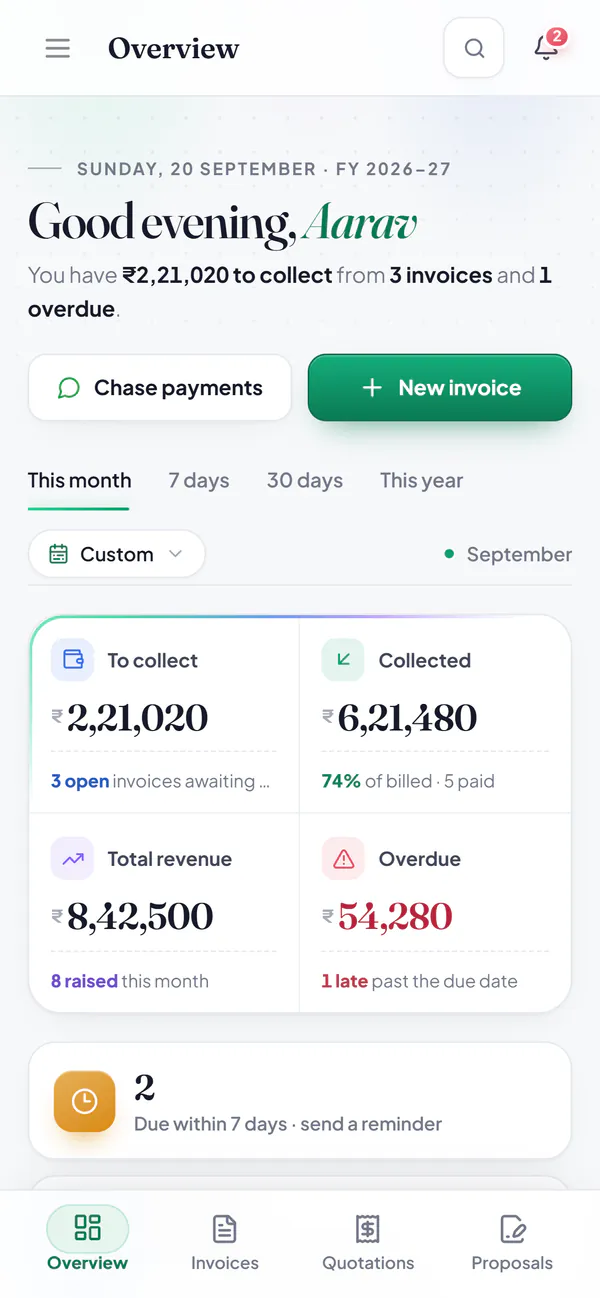
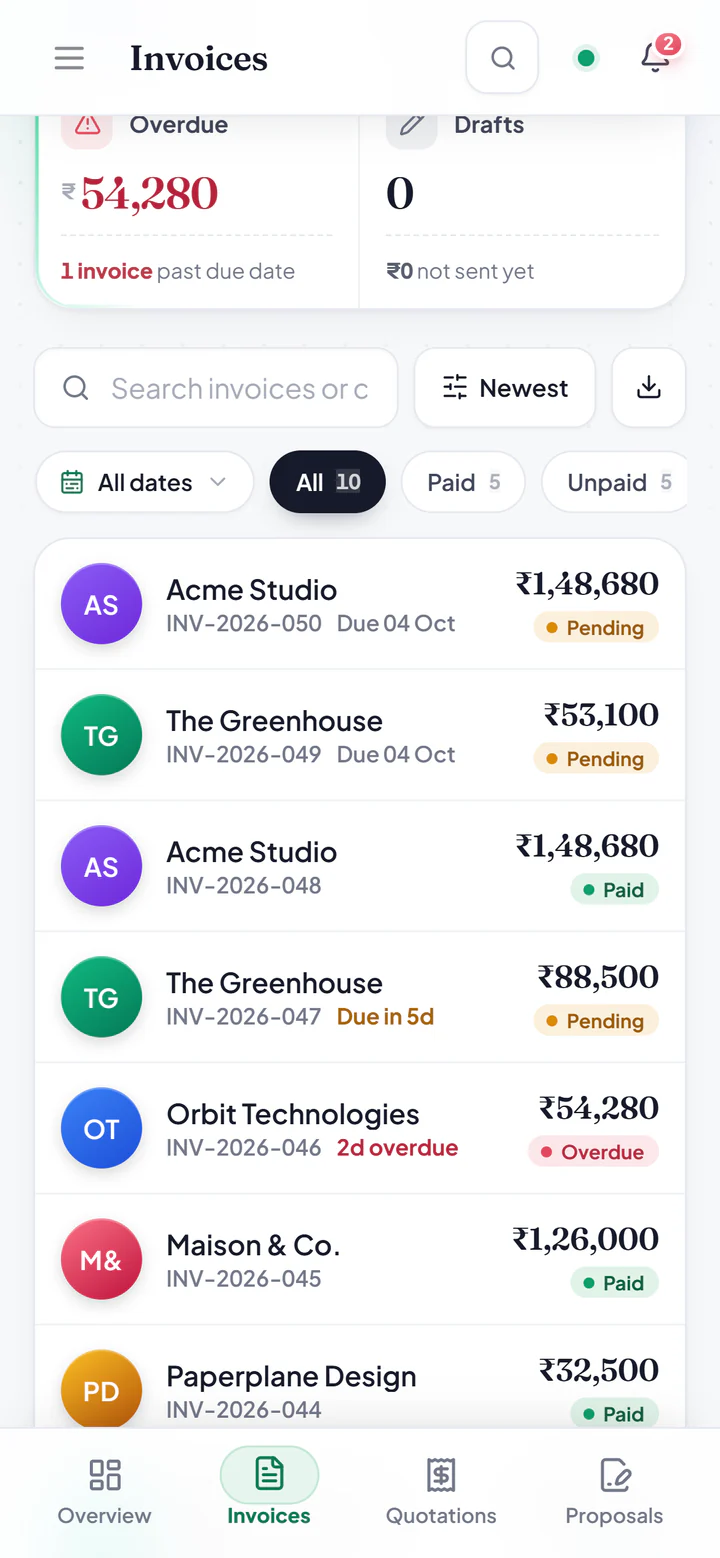
One bill, all the way downINV-2026-046 is the ₹54,280 shown overdue in the overview above. Settle it here, and September's figures further down follow.
1
Check the GSTIN
Format and checksum, for free: the same check the app runs.
15 of 15
Try
06AADCO7315R1ZYState HaryanaPAN AADCO7315R, a companyReg. 1st · Z · Check Y
State
Haryana
PAN
AADCO7315R, a company
Reg.
1st
Fixed
Z
Check
Y
Valid GSTIN. Checked right here, for free.
In the app, GSTIN auto-fill also brings in the registered business name and address, so the bill is right the first time.
2
Split the GST
The place of supply comes from the GSTIN. The tax follows it.
Karnataka to Haryana: different states, so IGST.
CGST 9%₹4,140.00IGST 18%₹8,280.00SGST 9%₹4,140.00
Tax invoiceINV-2026-046
Place of supply
Haryana (06)
Supply
Inter-state
Taxable value
₹46,000.00
IGST @ 18%
₹8,280.00
Total₹54,280.00
Rupees Fifty Four Thousand Two Hundred Eighty Only
Received
₹0.00
Balance due
₹54,280.00
3
Remind, then settle
Pick a language and a moment. The blanks fill themselves.
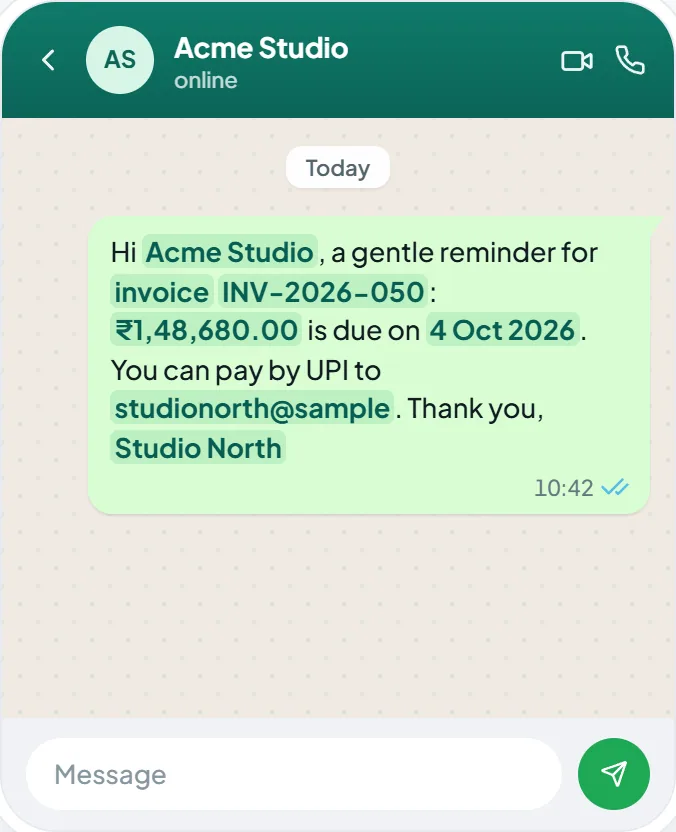
Hello Orbit team, invoice INV-2026-046 for ₹54,280.00 was due on 02 Oct 2026 and is still open. Please clear it when you can. UPI: studionorth@okhdfcbank. Thank you, Studio North
11:24
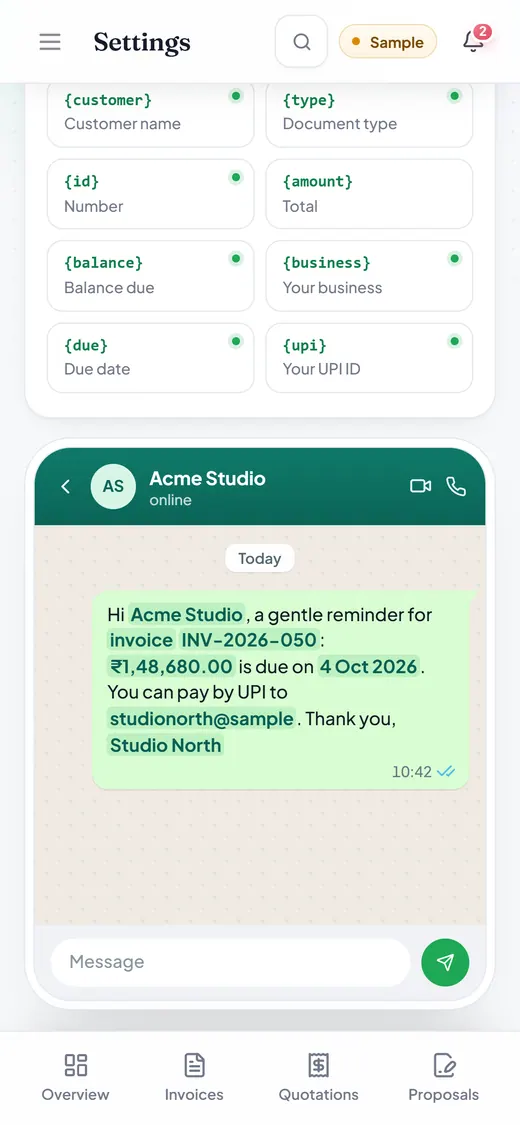
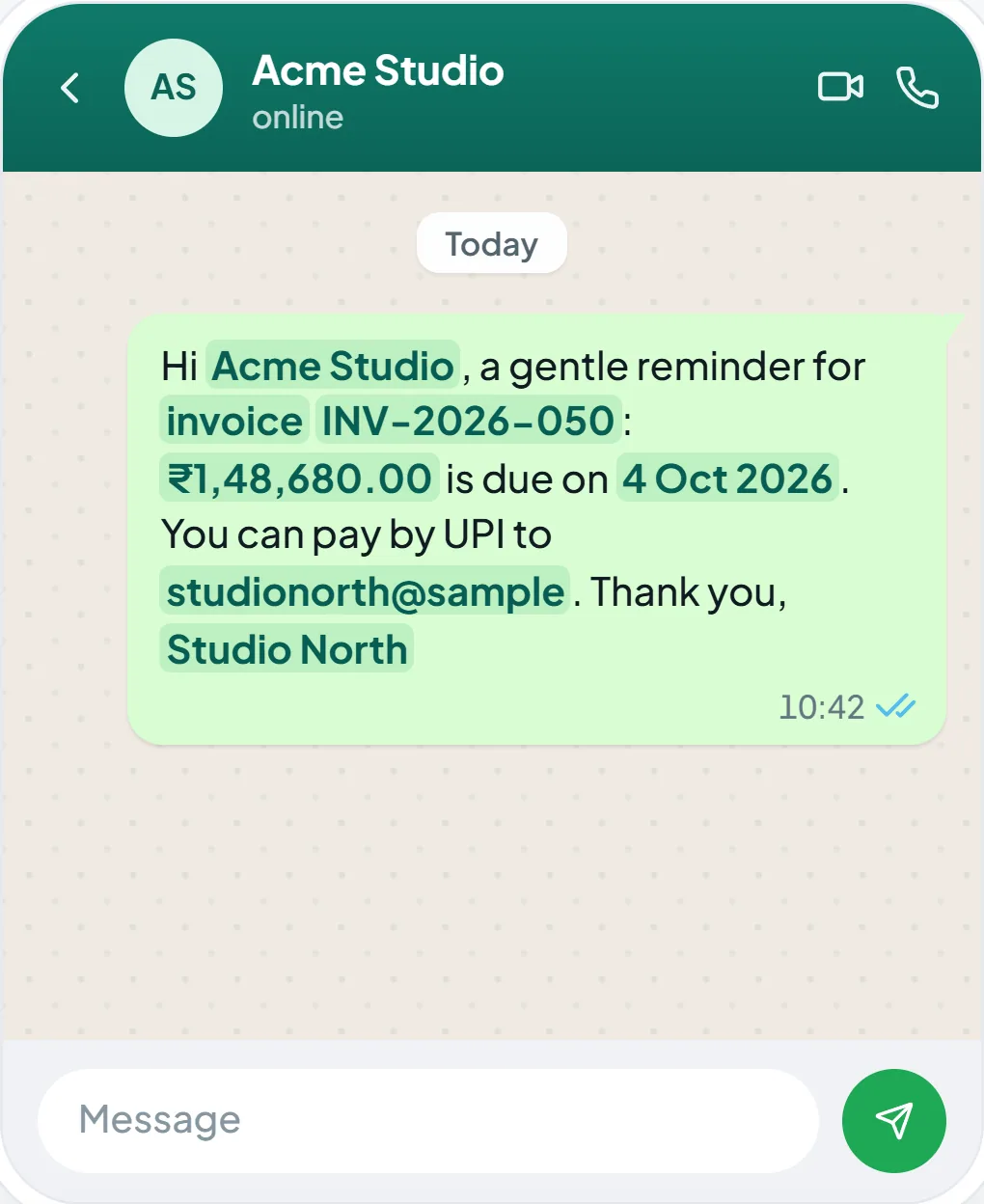
Hello {customer}, a gentle note that invoice {id} for {balance} is due on {due}. You can pay by UPI to {upi}. Thank you, {business}
Hello {customer}, invoice {id} for {balance} is due today, {due}. UPI: {upi}. Thank you, {business}
Hello {customer}, invoice {id} for {balance} was due on {due} and is still open. Please clear it when you can. UPI: {upi}. Thank you, {business}
नमस्ते {customer}, बिल {id} के {balance} का भुगतान {due} तक होना है। UPI: {upi}। धन्यवाद, {business}
नमस्ते {customer}, बिल {id} के {balance} का भुगतान आज, {due} को होना है। UPI: {upi}। धन्यवाद, {business}
नमस्ते {customer}, बिल {id} के {balance} का भुगतान {due} को होना था और अभी बाकी है। समय मिलते ही भेज दीजिए। UPI: {upi}। धन्यवाद, {business}
Namaste {customer}, bill {id} ke {balance} ka payment {due} tak due hai. UPI: {upi}. Dhanyavaad, {business}
Namaste {customer}, bill {id} ke {balance} ka payment aaj, {due} ko due hai. UPI: {upi}. Dhanyavaad, {business}
Namaste {customer}, bill {id} ke {balance} ka payment {due} ko due tha aur abhi baaki hai. Jab ho sake, bhej dijiye. UPI: {upi}. Dhanyavaad, {business}
These three starters are ours, for this page. In the app you write your own once, in Settings; each tap on WhatsApp fills in the blanks and opens the chat. You press send.
Record a payment
Try it here, free. The app does the same on every invoice.
04Month close
Every purchase bill, filed in its month.
Snap supplier bills with your phone’s camera, add photos and PDFs, or bring one in from a link. Hisab Time files each under its month, keeps track of the GST credit you can claim, and packs the month for your accountant.
Purchase bills · FY 2026-27 · a sample
September 2026
4 bills
Tax invoice
Lumen Print Services
INV-0931 · 15 Sept 2026
₹23,600.00
GST ₹3,600.00 · Services
ITCTo claim as input tax credit
Kaveri Paper & Stationers
INV-2207 · 12 Sept 2026
₹11,536.00
GST ₹1,236.00 · Stock
ITCTo claim as input tax credit
Tax invoice
Swift Cabs Travel
INV-77310 · 09 Sept 2026
₹1,850.00
GST ₹88.10 · Travel
No ITCCab hire: no input tax credit on this bill
Tax invoice · copy
Northline Broadband
INV-58114 · 05 Sept 2026
₹2,359.00
GST ₹359.85 · Utilities
ITCTo claim as input tax credit
ITC summary · September 2026
Taxable value
₹34,061.05
CGST
₹2,641.98
SGST
₹2,641.97
IGST
₹0.00
ITC eligible₹5,195.85
Cab hire carries no ITC, so its ₹88.10 stays out of the claim.
The same columns the app puts in the ZIP for your accountant, made in your browser. In the app: the month as a ZIP, the CSV alone, or a copied summary.
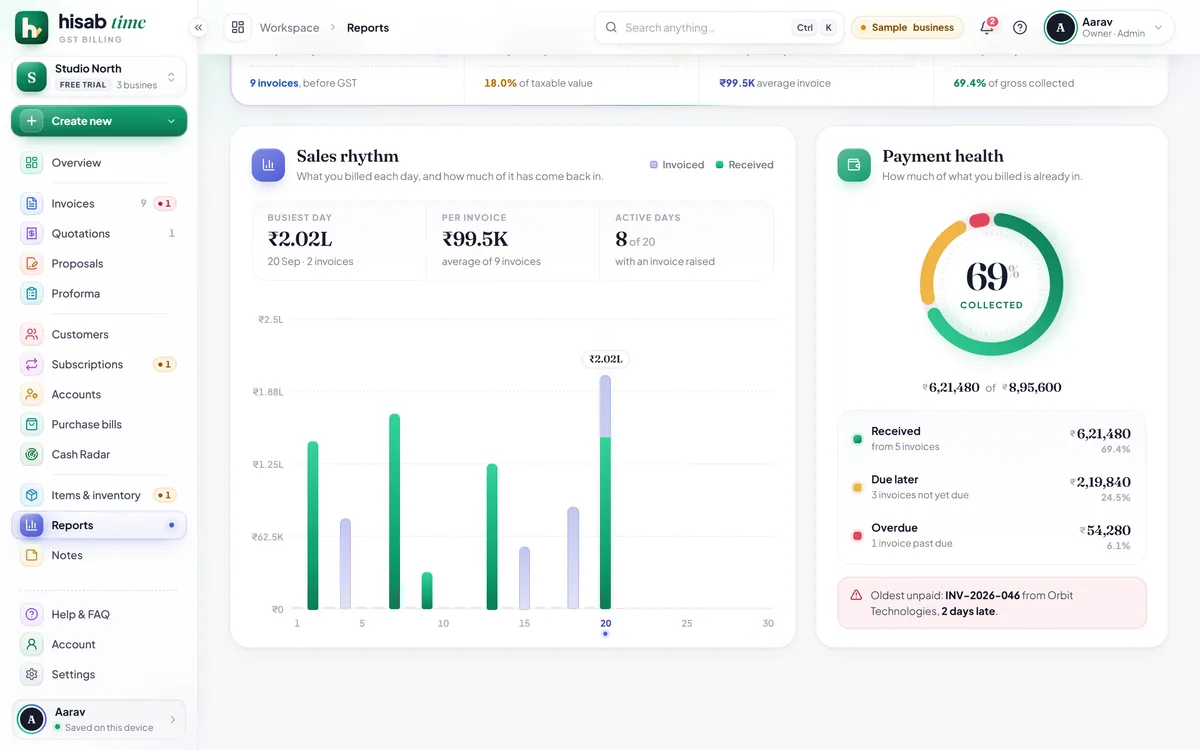
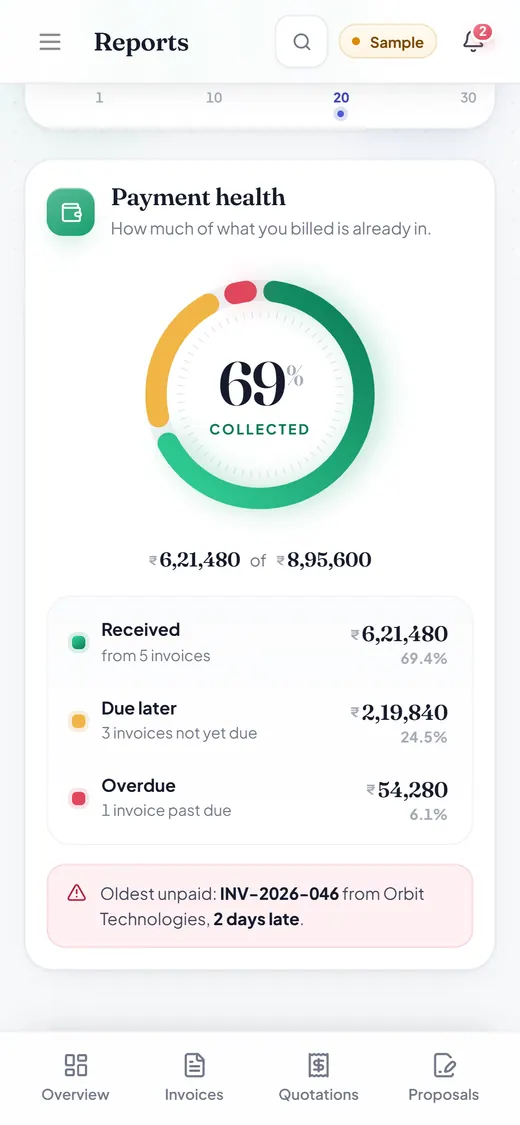
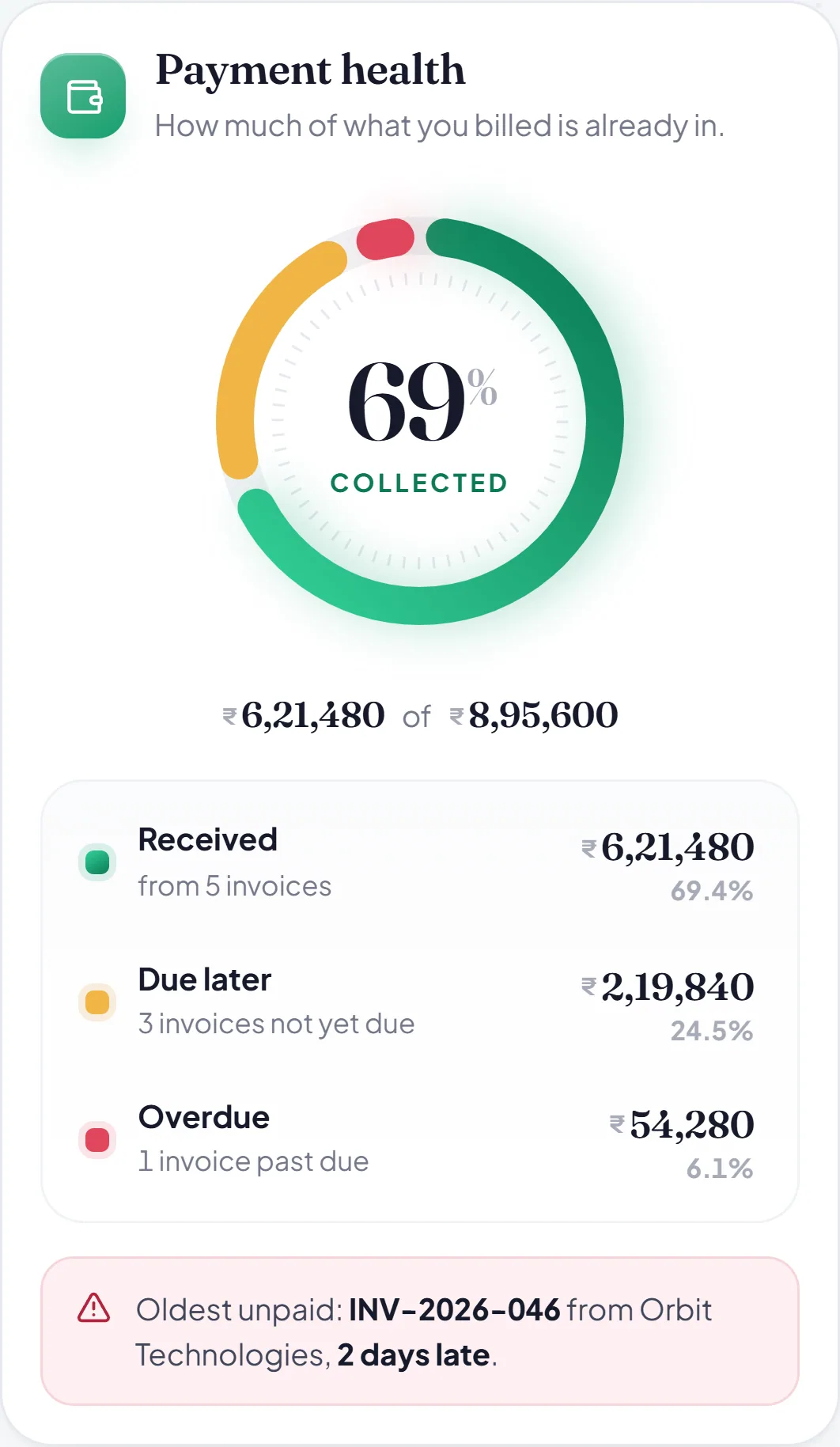
September, in Reports
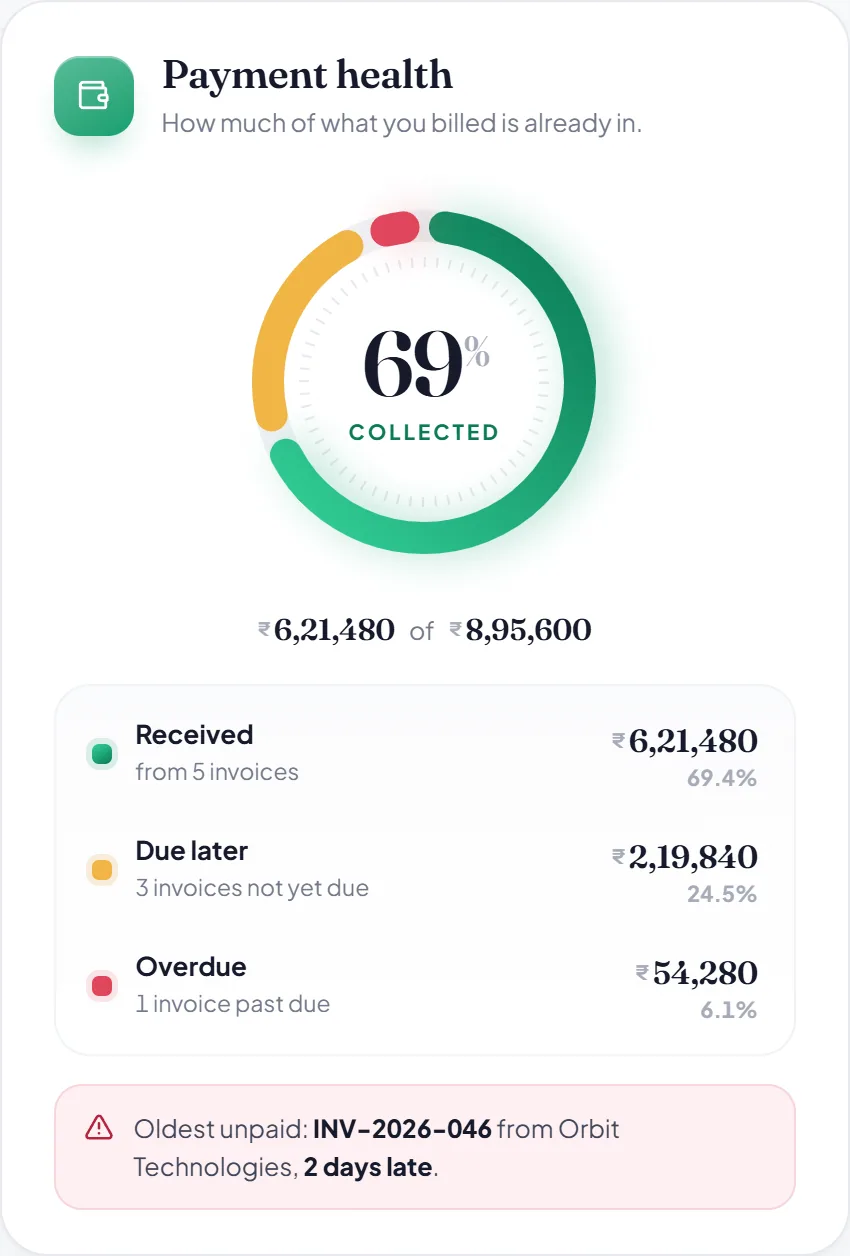
74%of ₹8,42,500 billed is in.
Studio North, a sample. Settle INV-2026-046 at the counter above and these figures move.
Received
₹6,21,480
Due later
₹1,66,740
Overdue
₹54,280
Also in Reports: sales rhythm, payment health, GST and HSN summary, top customers and items, for any dates or financial year, and CSV export of all of it.
05Everything else
From the first quote to the last backup.
Eight jobs every business does each month, in the order the money moves. Each one is the real Hisab Time doing it, with its sample business, at hisabtime.com/app on your phone or computer.
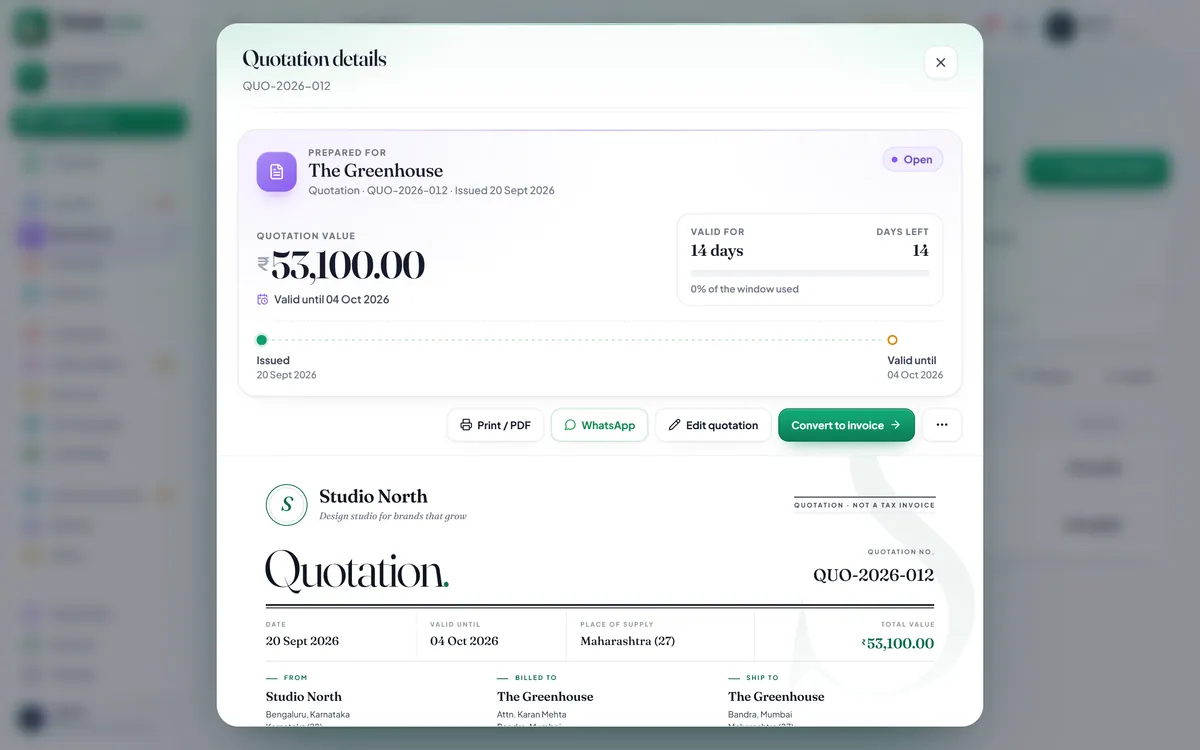
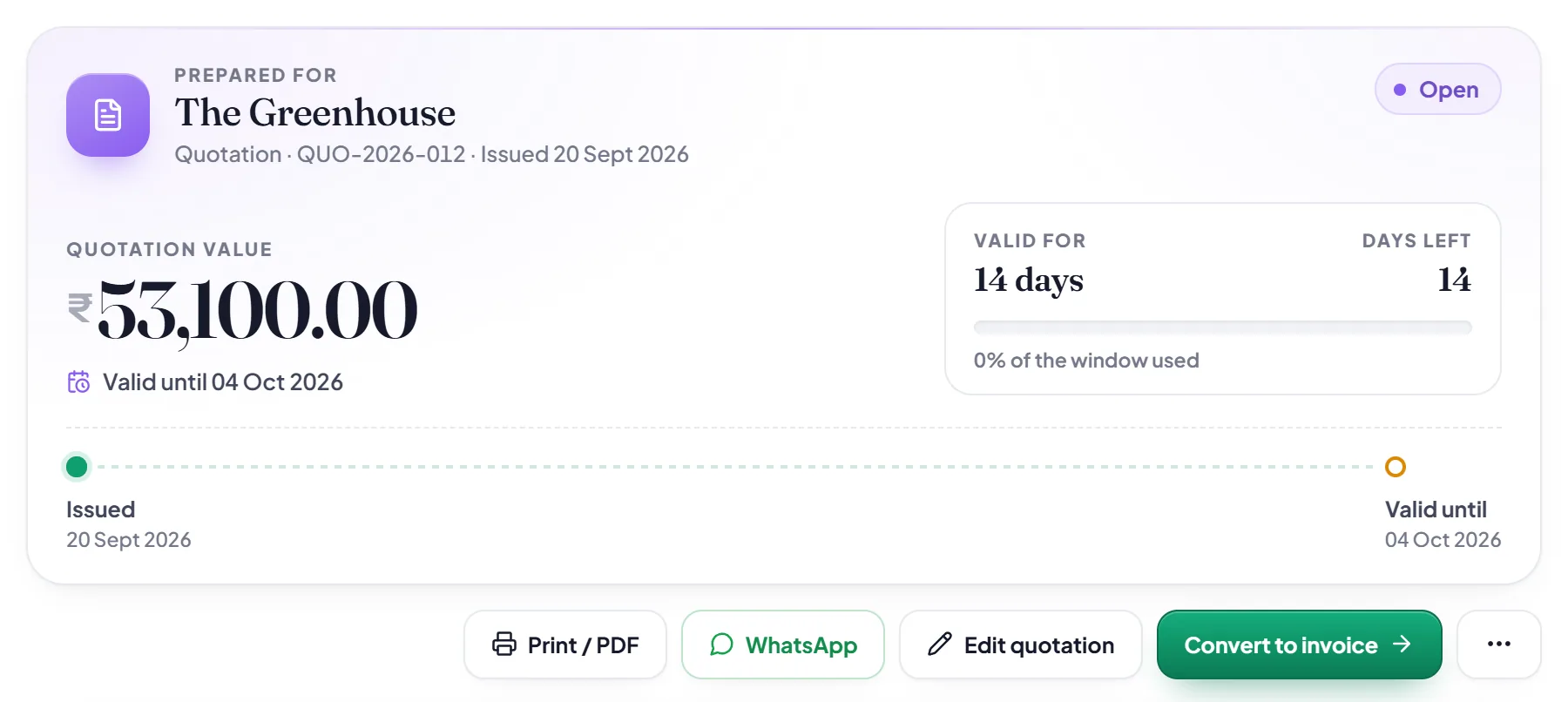
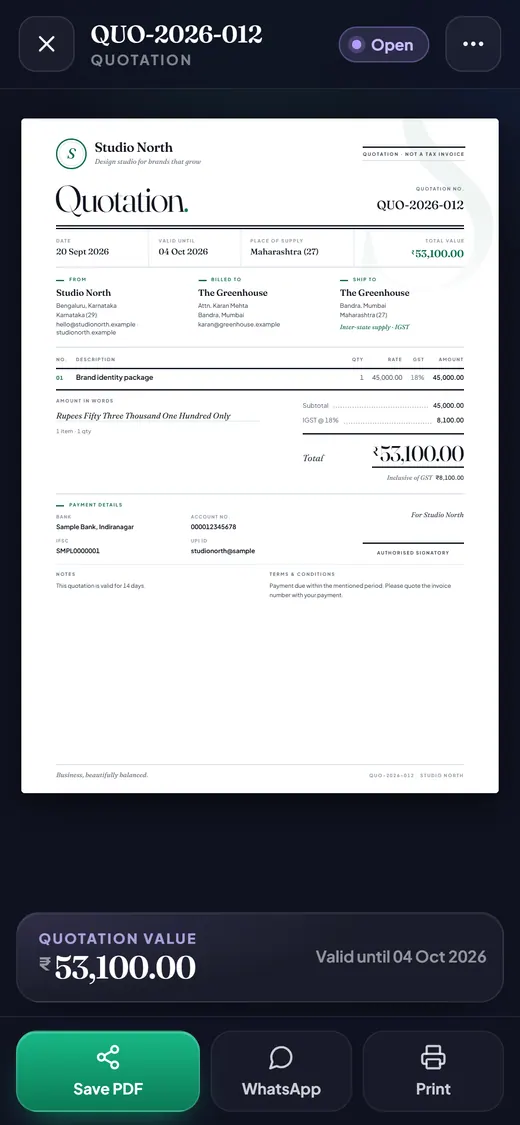
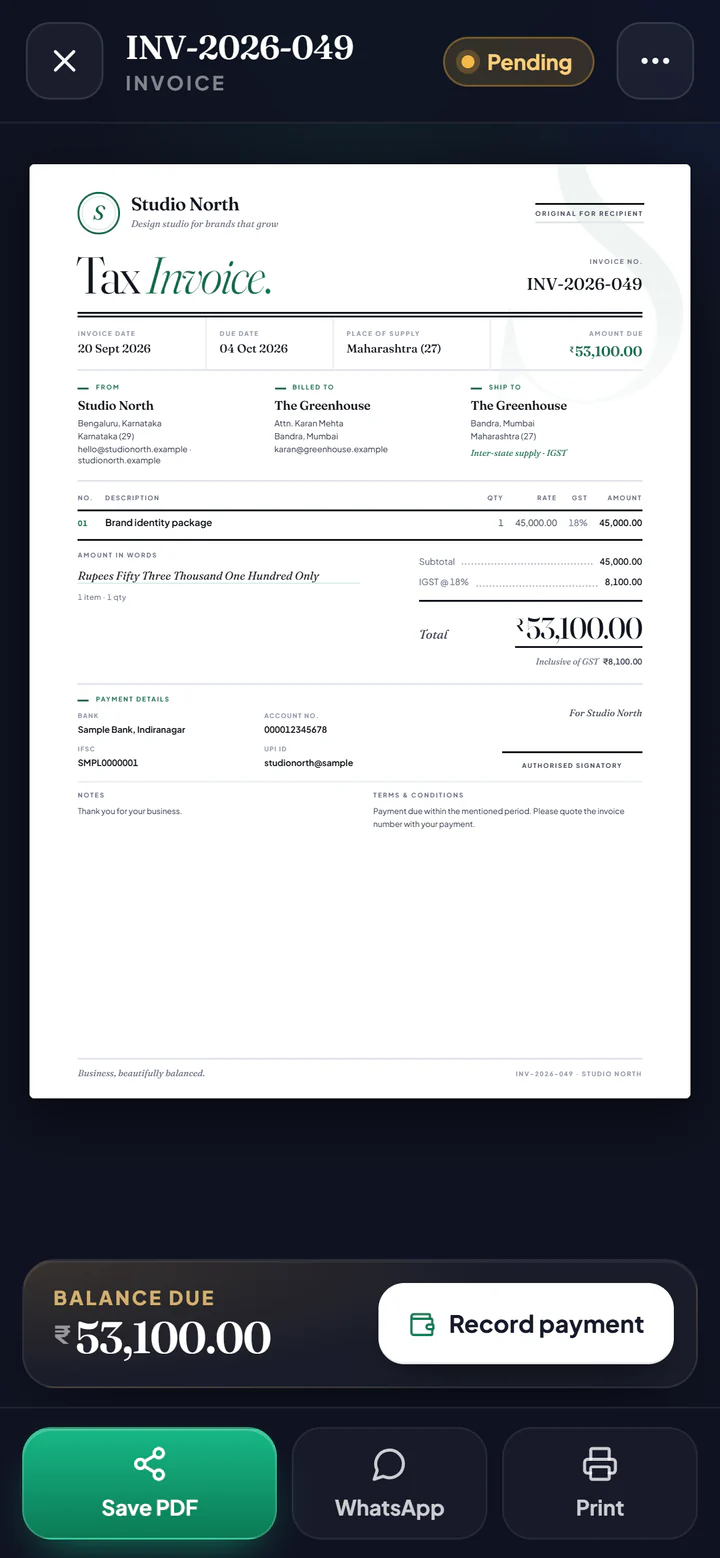
Send a quotation or a proposal. One tap on Convert to invoice makes a numbered GST invoice with every line, rate and tax carried across.
Quotations›Convert to invoice
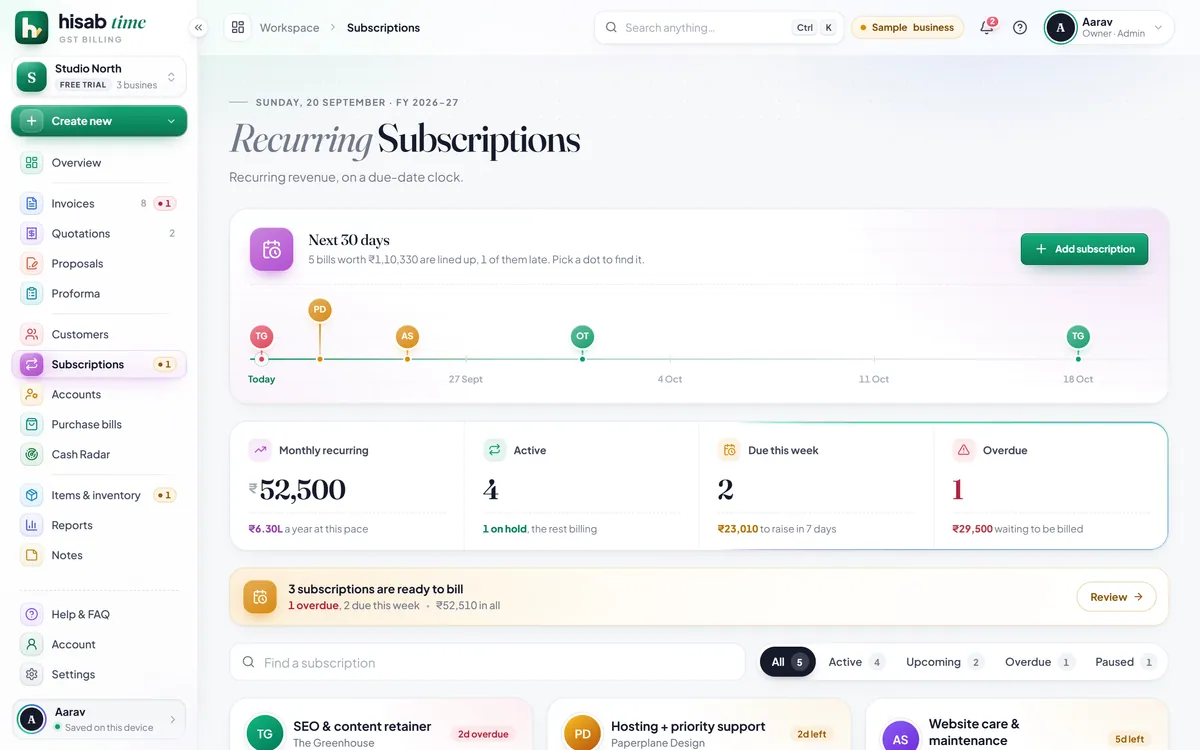
Bills that repeat, raised on time.
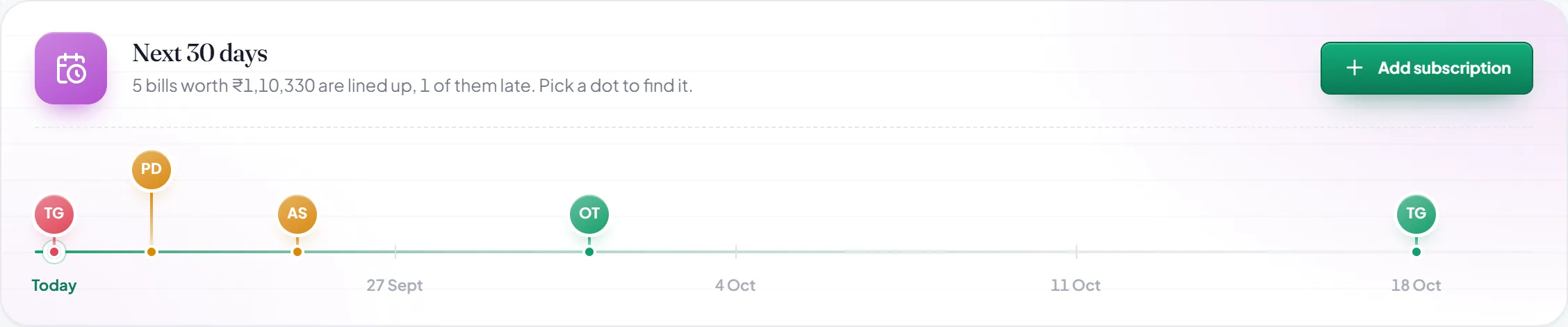
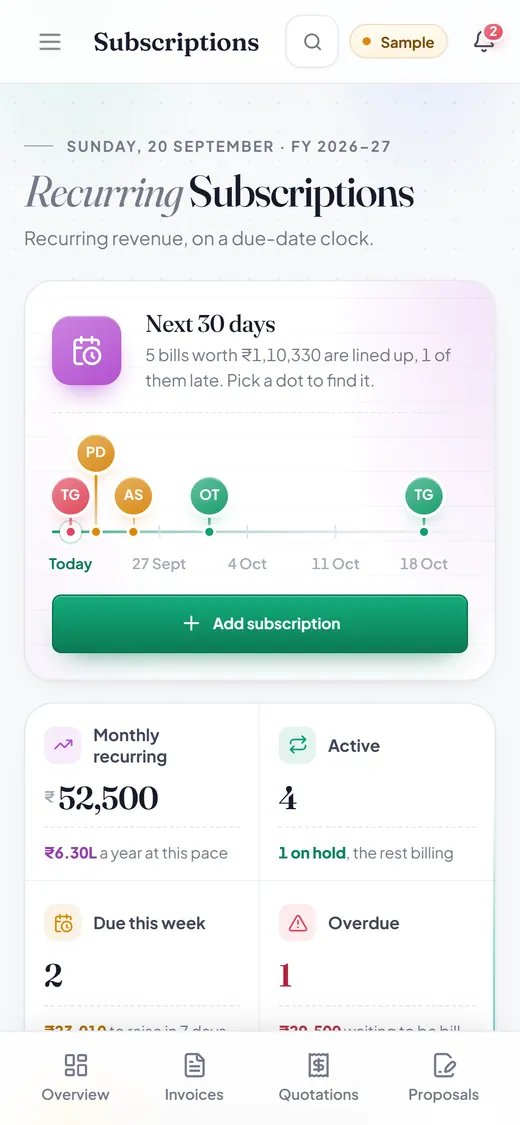
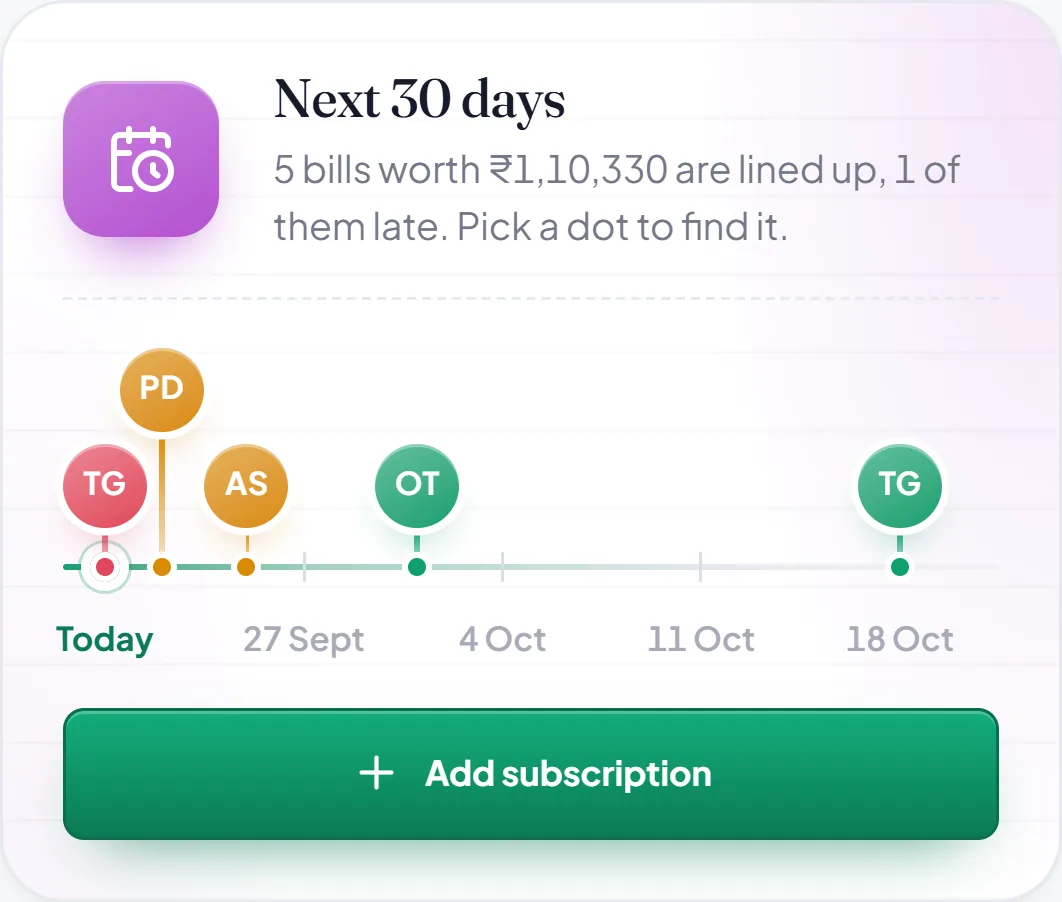
Monthly, quarterly, yearly or your own cycle. The next 30 days are lined up, a late one is flagged, and Bill now makes the invoice.
Subscriptions›Bill now
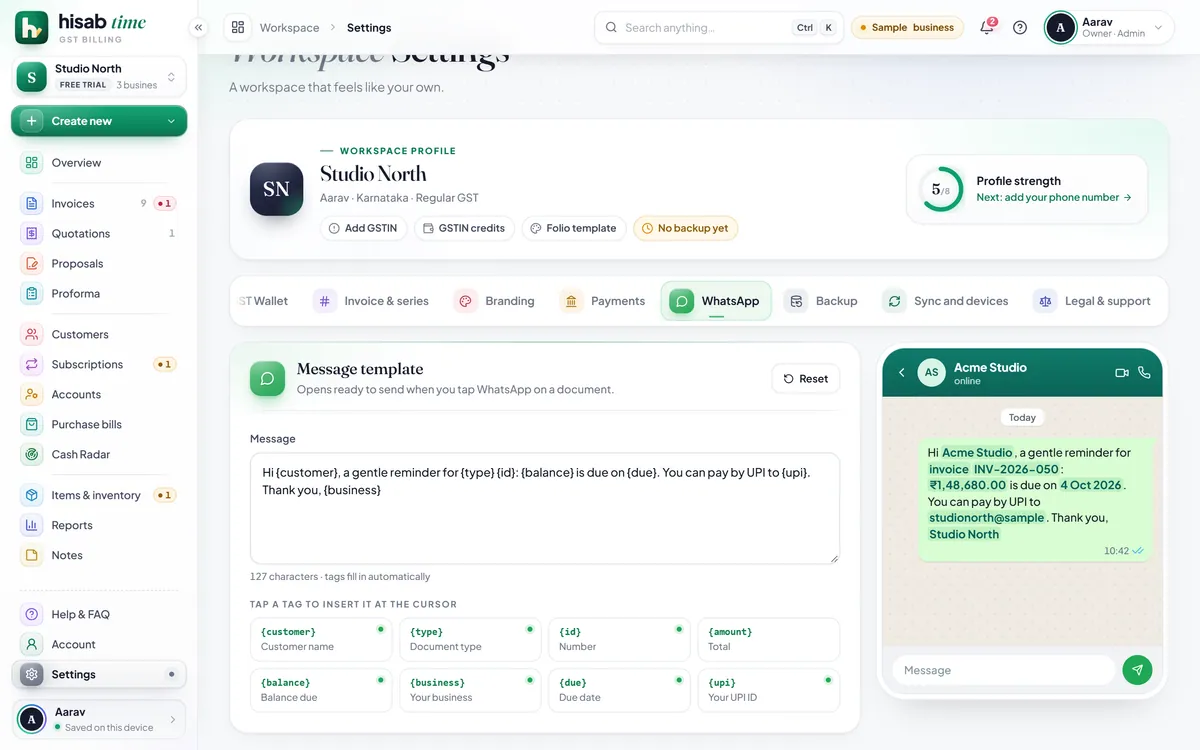
A reminder, already written.
Set the message once, with the amount, due date and UPI ID as tags. Tap Remind and WhatsApp opens with it filled in. You press send.
Accounts›Remind
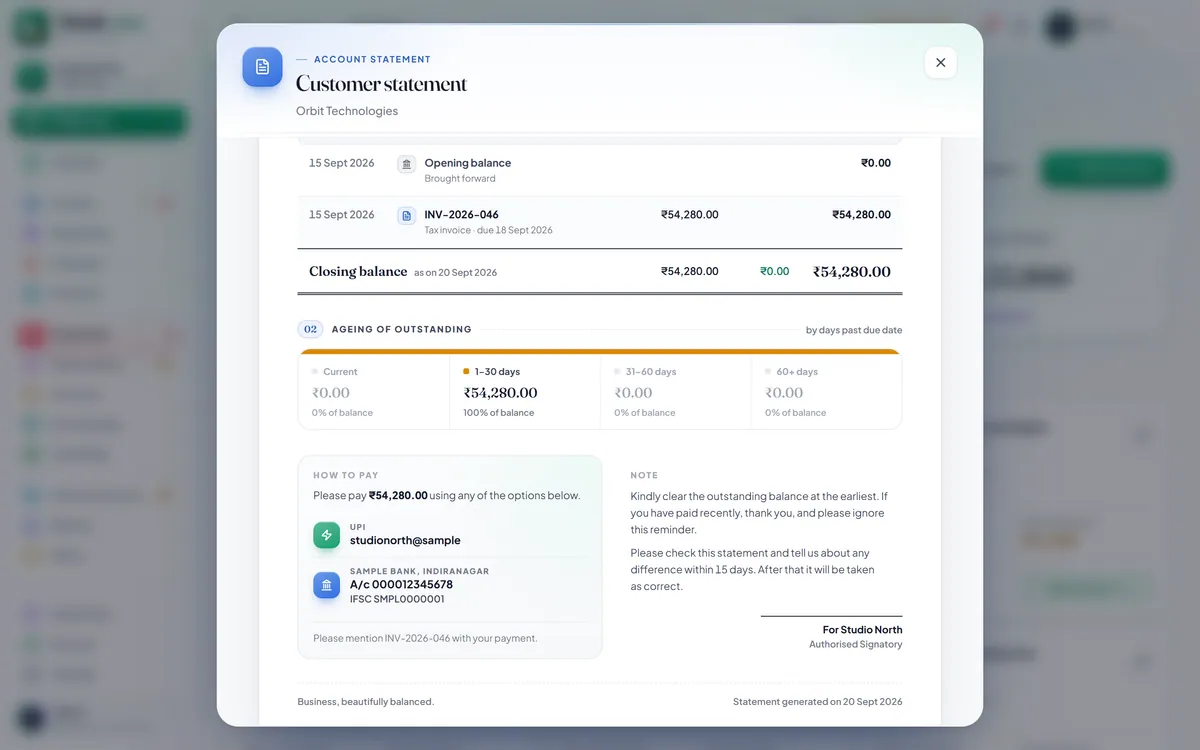
Who owes you, and how late.
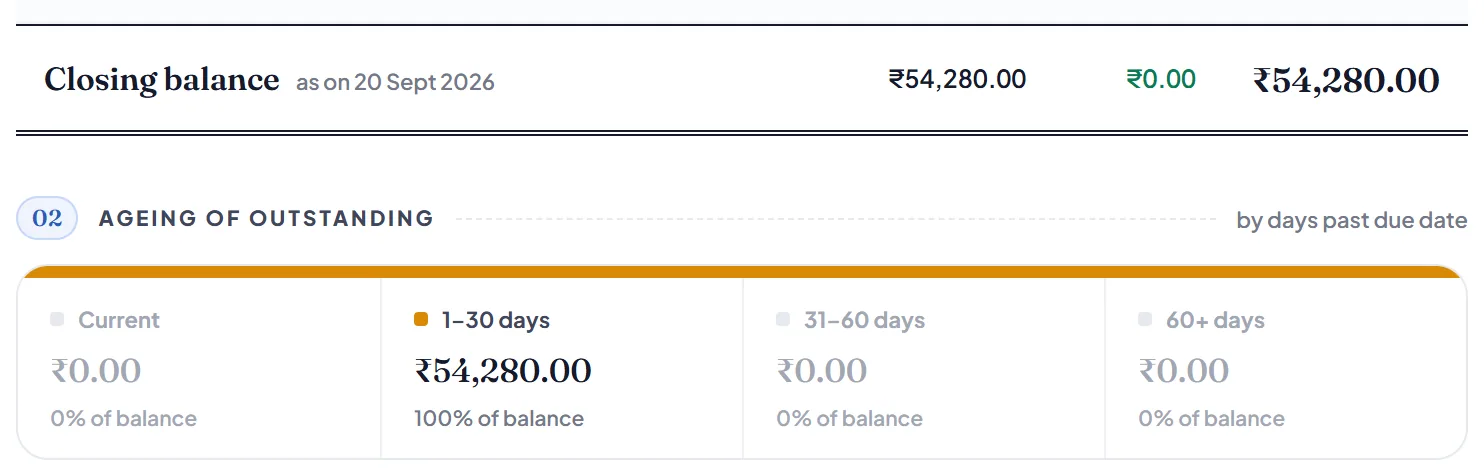
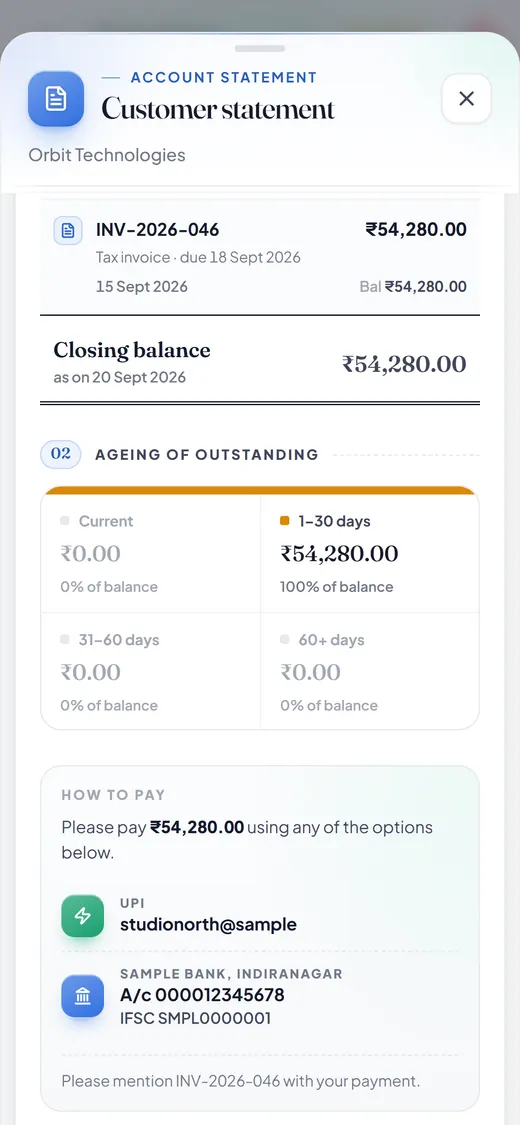
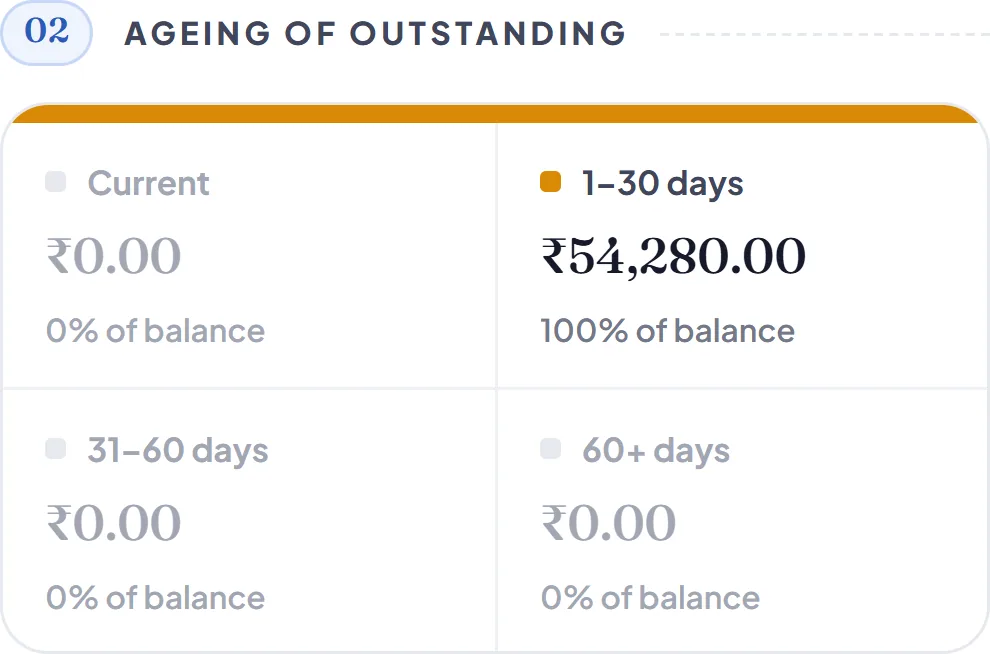
What you billed, what came in and what is still owed, for any customer and any dates, split by how many days late. Send it on WhatsApp or as a PDF.
Customers›Statement
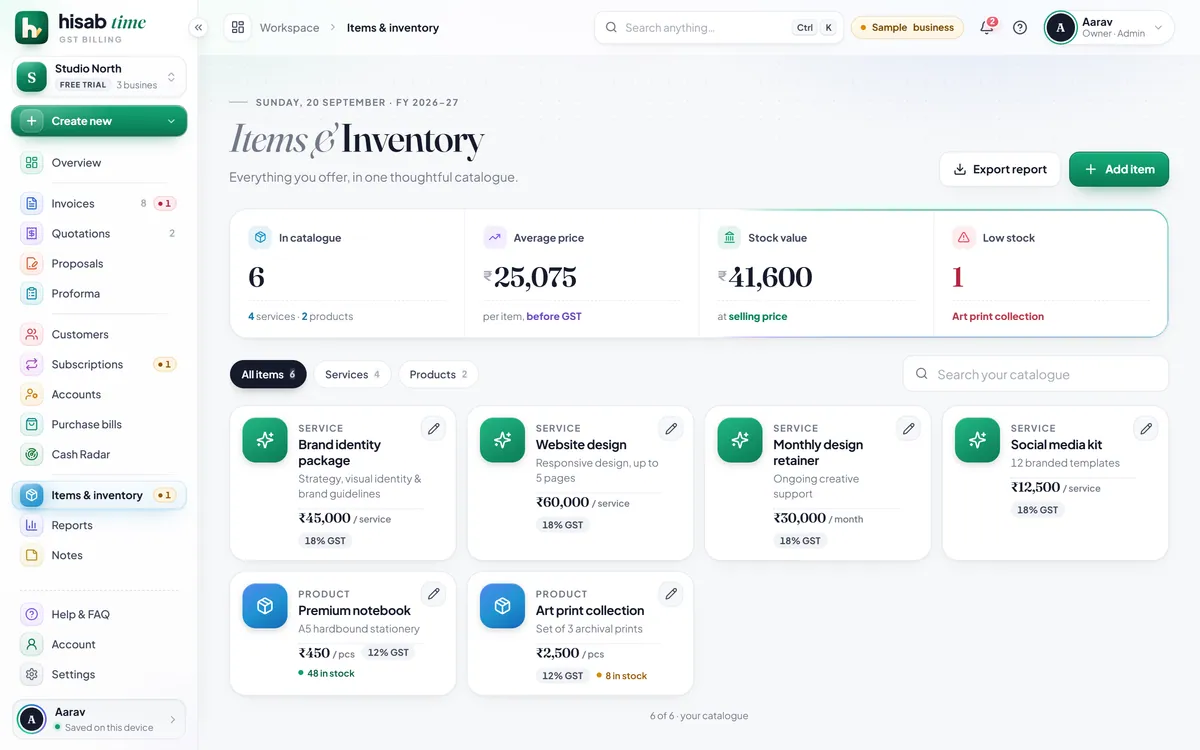
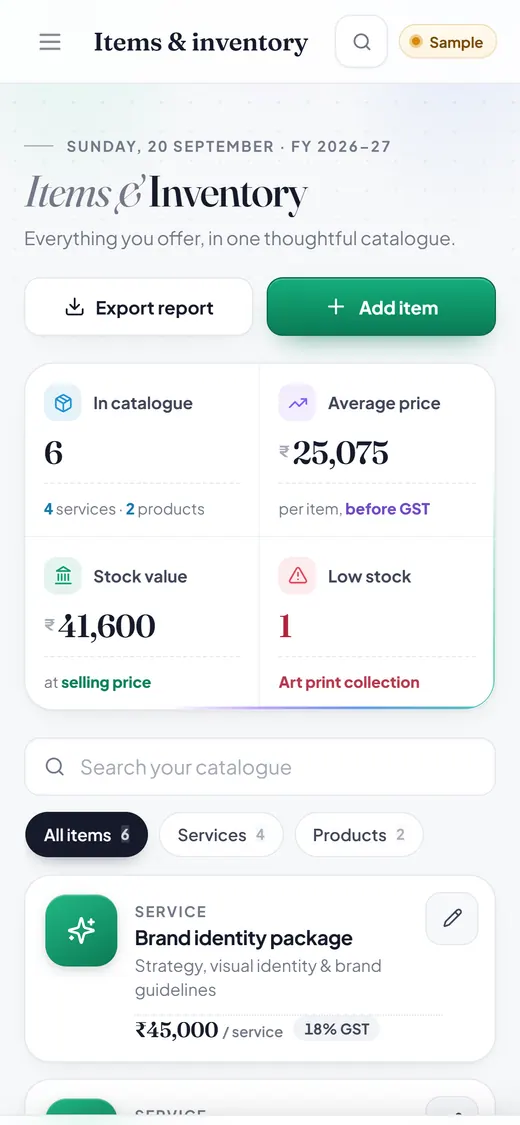
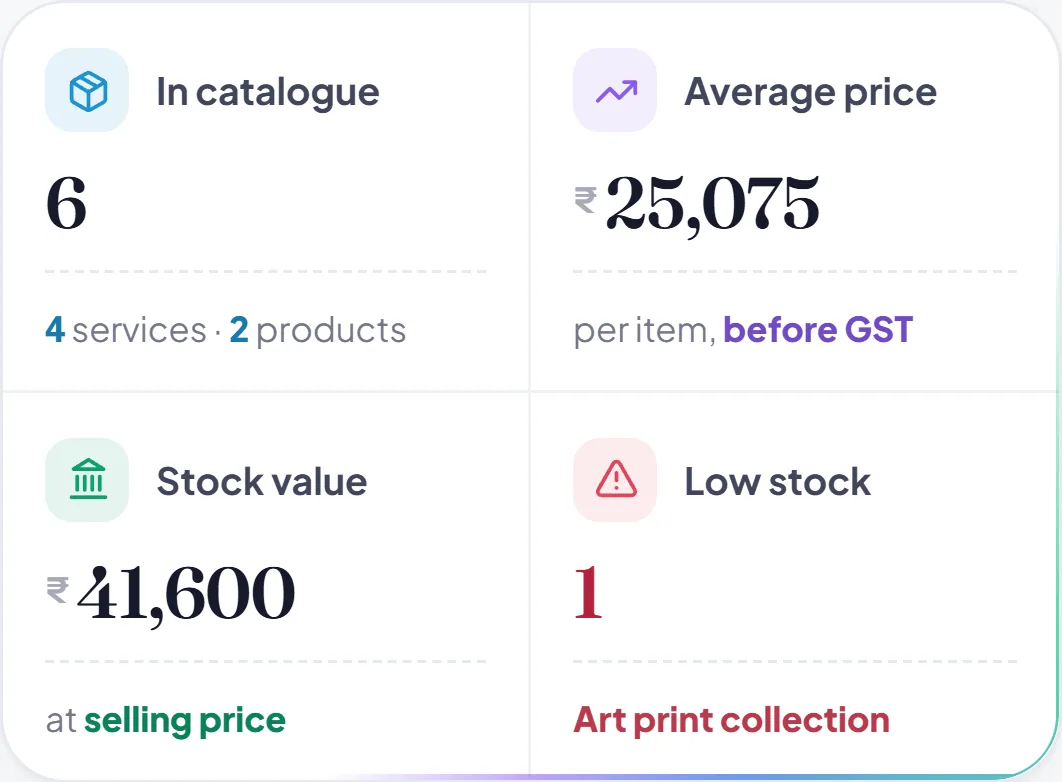
See what is running low.
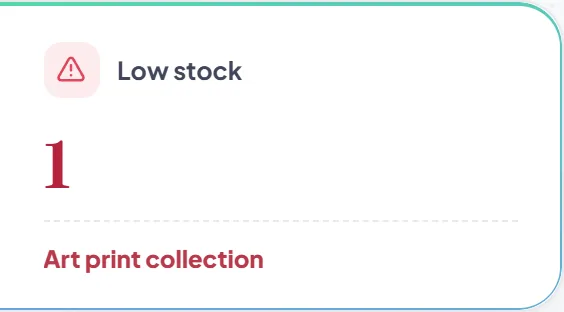
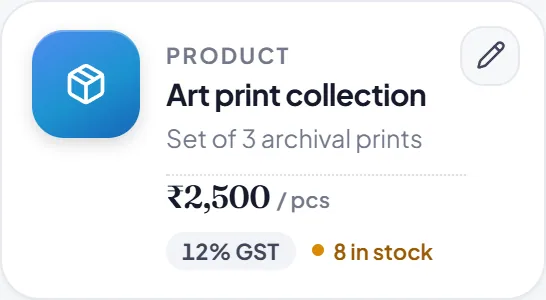
Every item with its HSN or SAC code, GST rate and price. Stock goes down as you bill, and anything running low is flagged.
Items & inventory
Your month, ready for your CA.
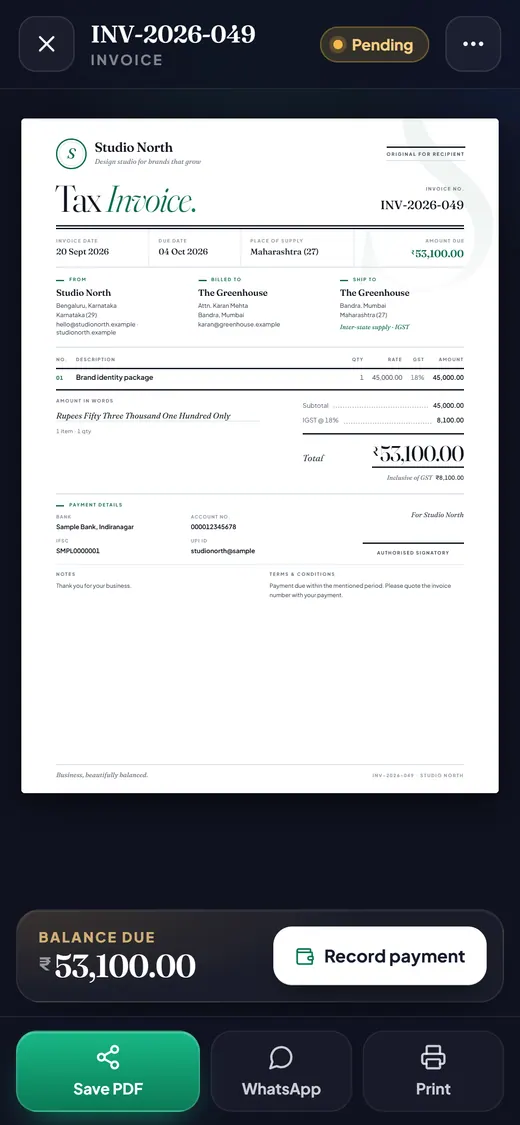
Money in, money owed, and GST by rate and by state, for any dates. The new ₹53,100 invoice from the quote is already counted. Download it as CSV.
Reports›Download CSV
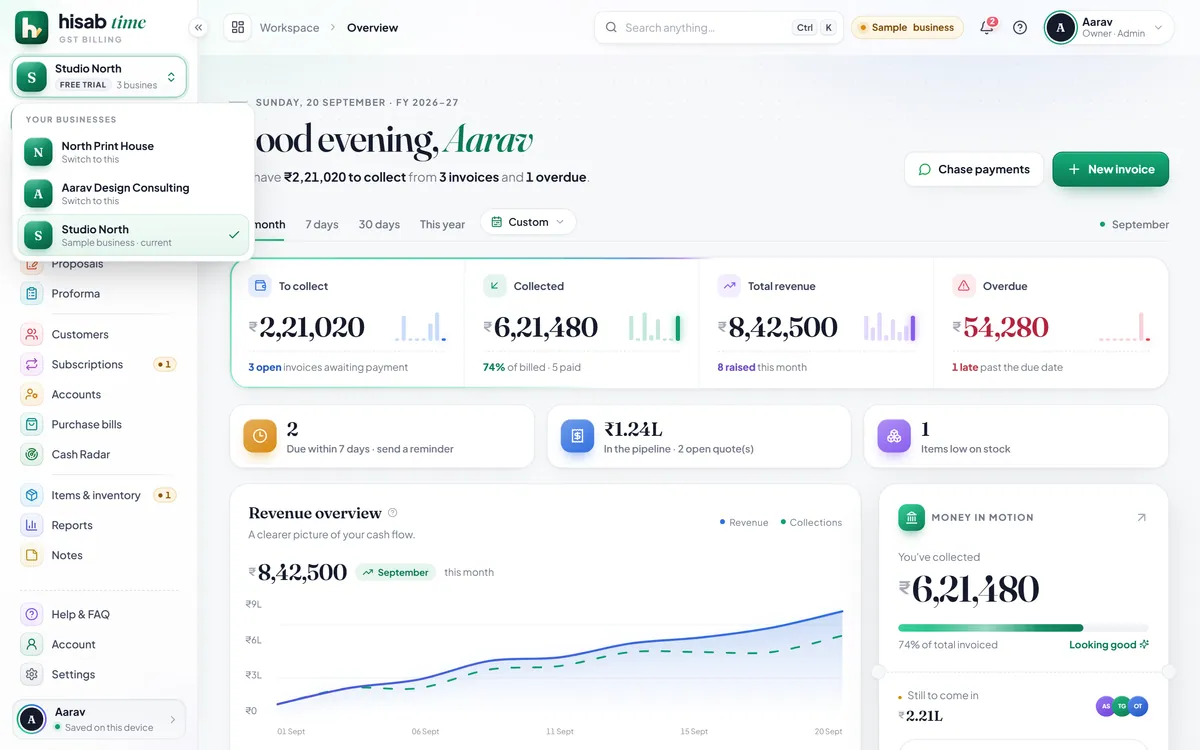
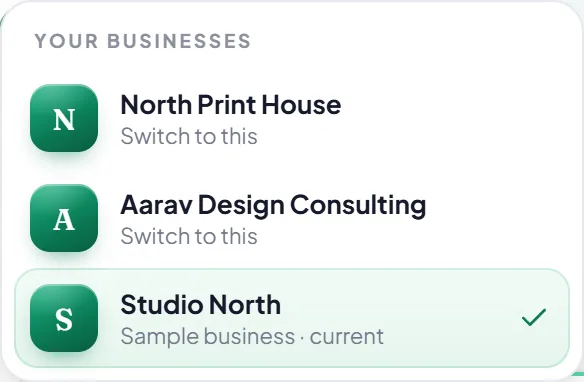
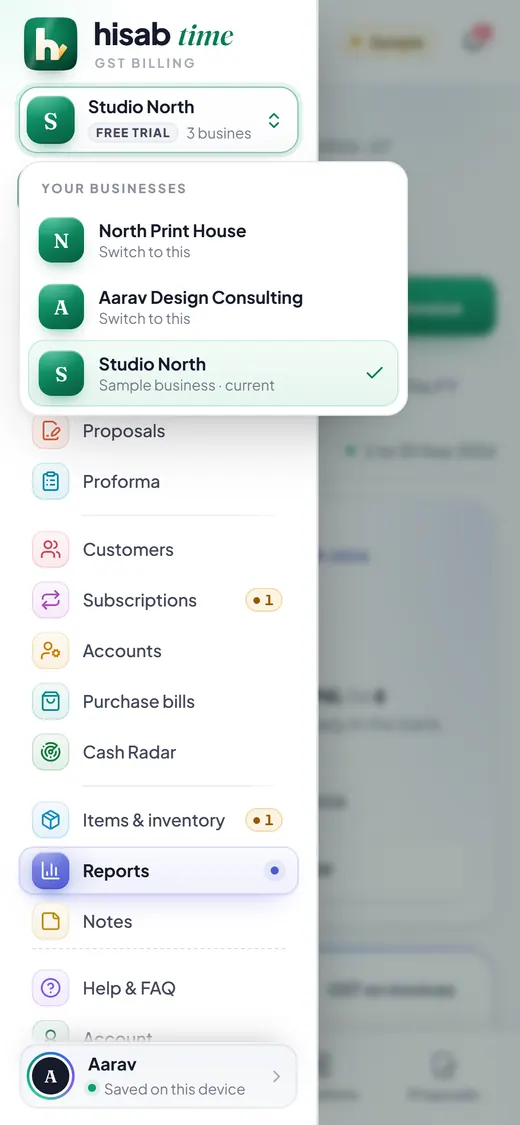
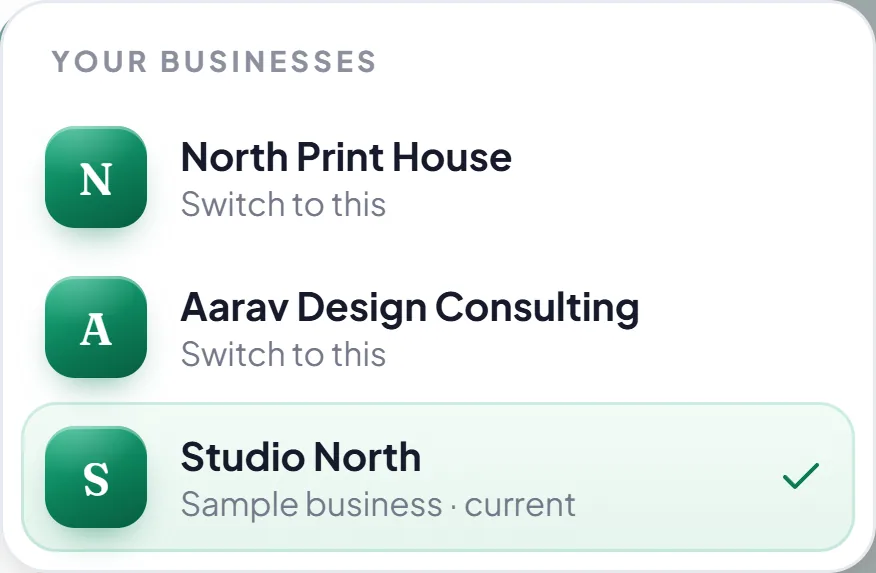
More than one business? One app.
A print shop and a consultancy, each with its own invoices, customers, items and settings. Switch between them in a tap.
Menu›Your businesses
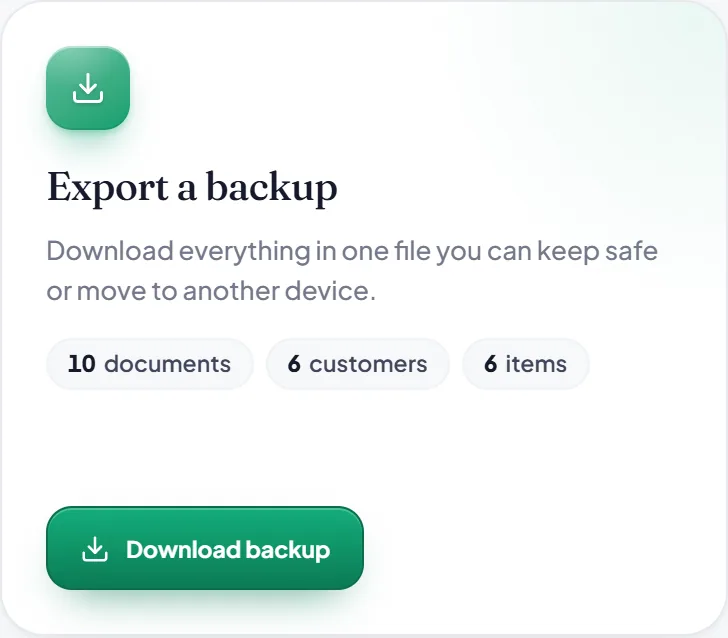
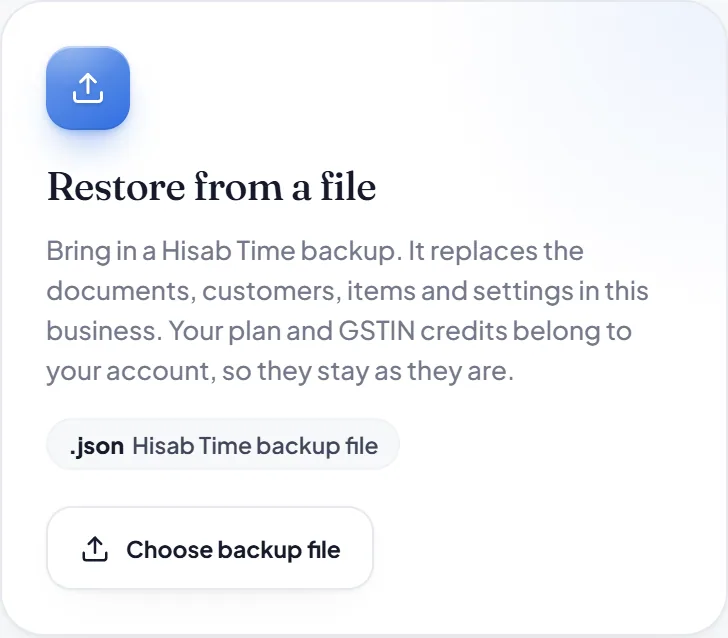
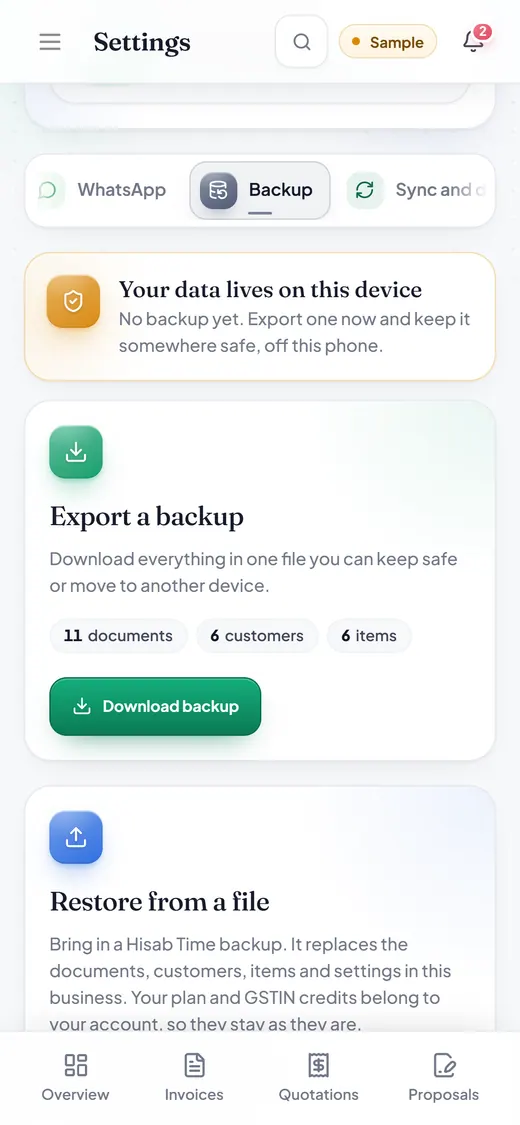
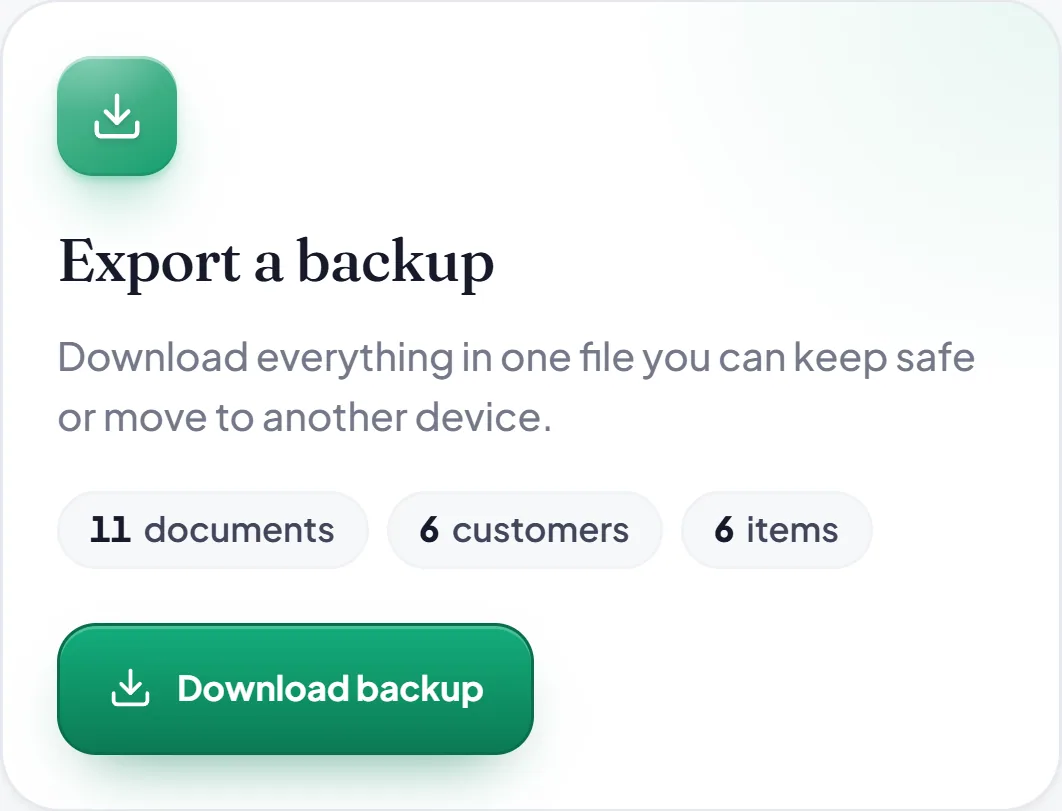
Your whole business in one file.
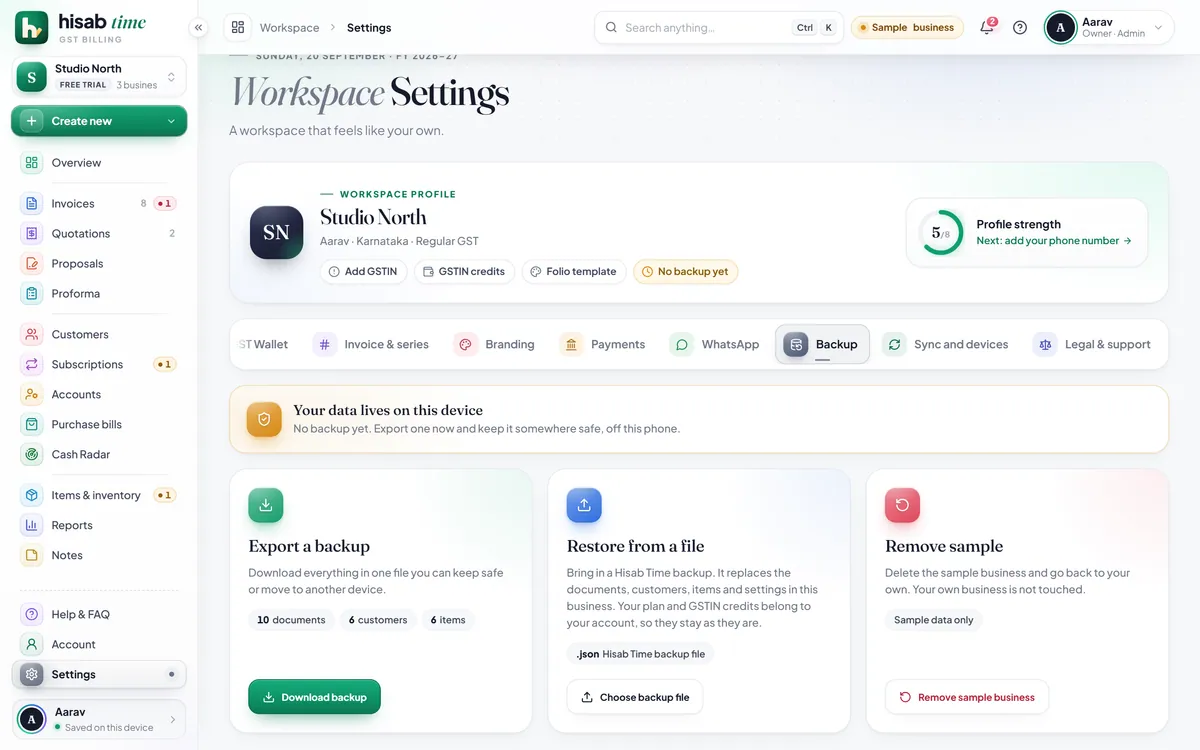
Every invoice, customer, item and setting in one backup file. Keep it anywhere, and restore it on any phone or computer.
Settings›Backup
hisabtime.com/app
7:22
01 · Quotation to invoice
When they say yes, the quote becomes the invoice.
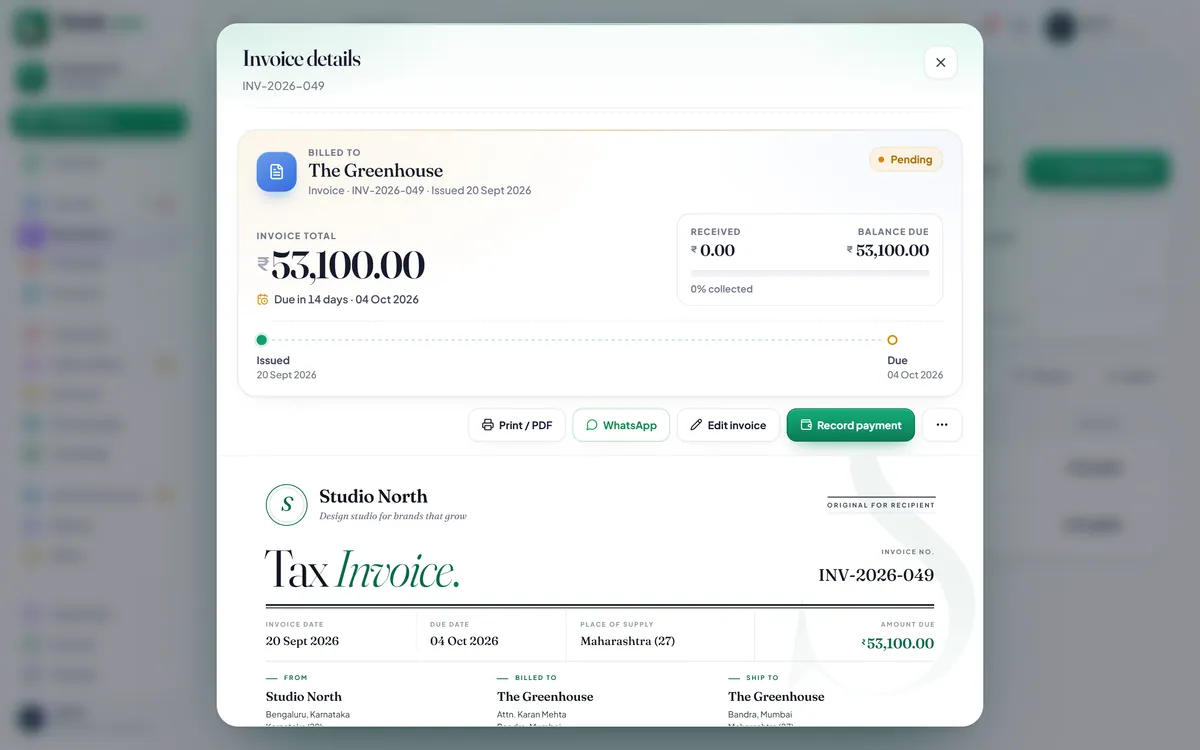
One tap on Convert to invoice makes a numbered GST invoice with every line, rate and tax carried across.
Quotations›Convert to invoice
7:22
02 · Recurring billing
Bills that repeat, raised on time.
Monthly, quarterly, yearly or your own cycle. The next 30 days are lined up and Bill now makes the invoice.
Subscriptions›Bill now
7:22
03 · WhatsApp reminders
A reminder, already written.
Tap Remind and WhatsApp opens with the amount, due date and UPI ID filled in. You press send.
Accounts›Remind
7:22
04 · Who owes you
Who owes you, and how late.
What you billed, what came in and what is still owed, for any customer and dates, split by how many days late.
Customers›Statement
7:22
05 · Items and low stock
See what is running low.
Each item with its HSN or SAC code, GST rate and price. Stock goes down as you bill; the low ones are flagged.
Items & inventory
7:22
06 · Reports for your CA
Your month, ready for your CA.
Money in, money owed, and GST by rate and by state. The new ₹53,100 invoice from the quote is already counted. Download it as CSV.
Reports›Download CSV
7:22
07 · Several businesses
More than one business? One app.
Each business keeps its own invoices, customers, items and settings. Switch in a tap.
Menu›Your businesses
7:22
08 · Backup and restore
Your whole business in one file.
Every invoice, customer, item and setting in one file, ready to restore on any phone or computer.
Settings›Backup
1 of 8
06Phone and computer
Same books. Phone and computer.
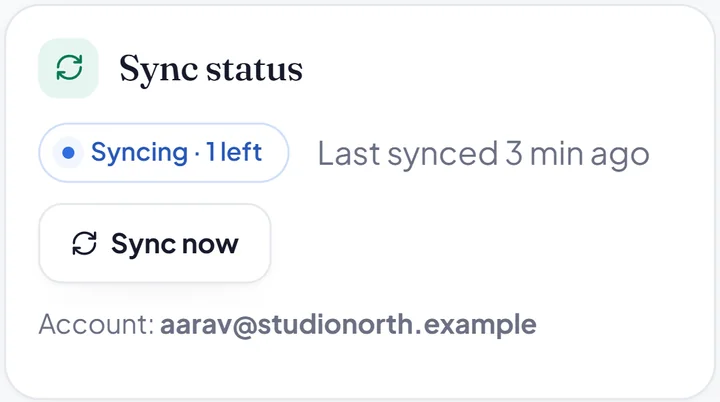
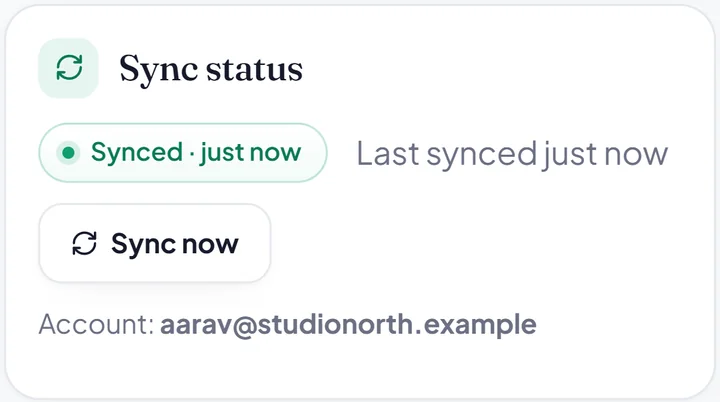
Open hisabtime.com/app on your phone and on your computer, signed in with the same account. Every invoice, customer and bill is on both, and stays in step.
Same account
Made on the phone. Open on the computer.
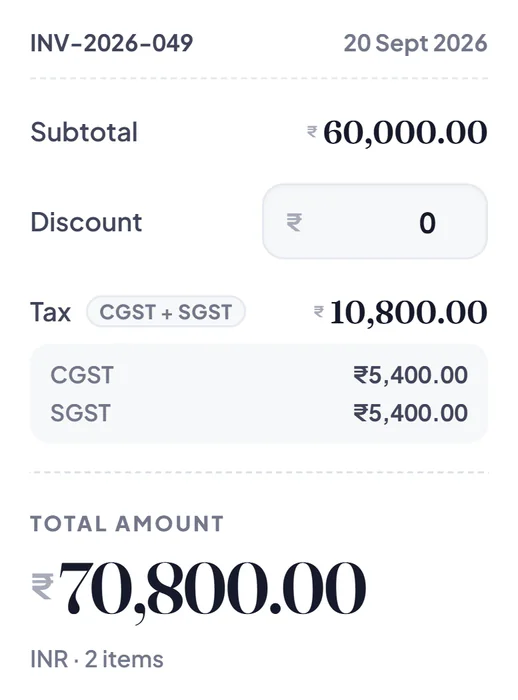
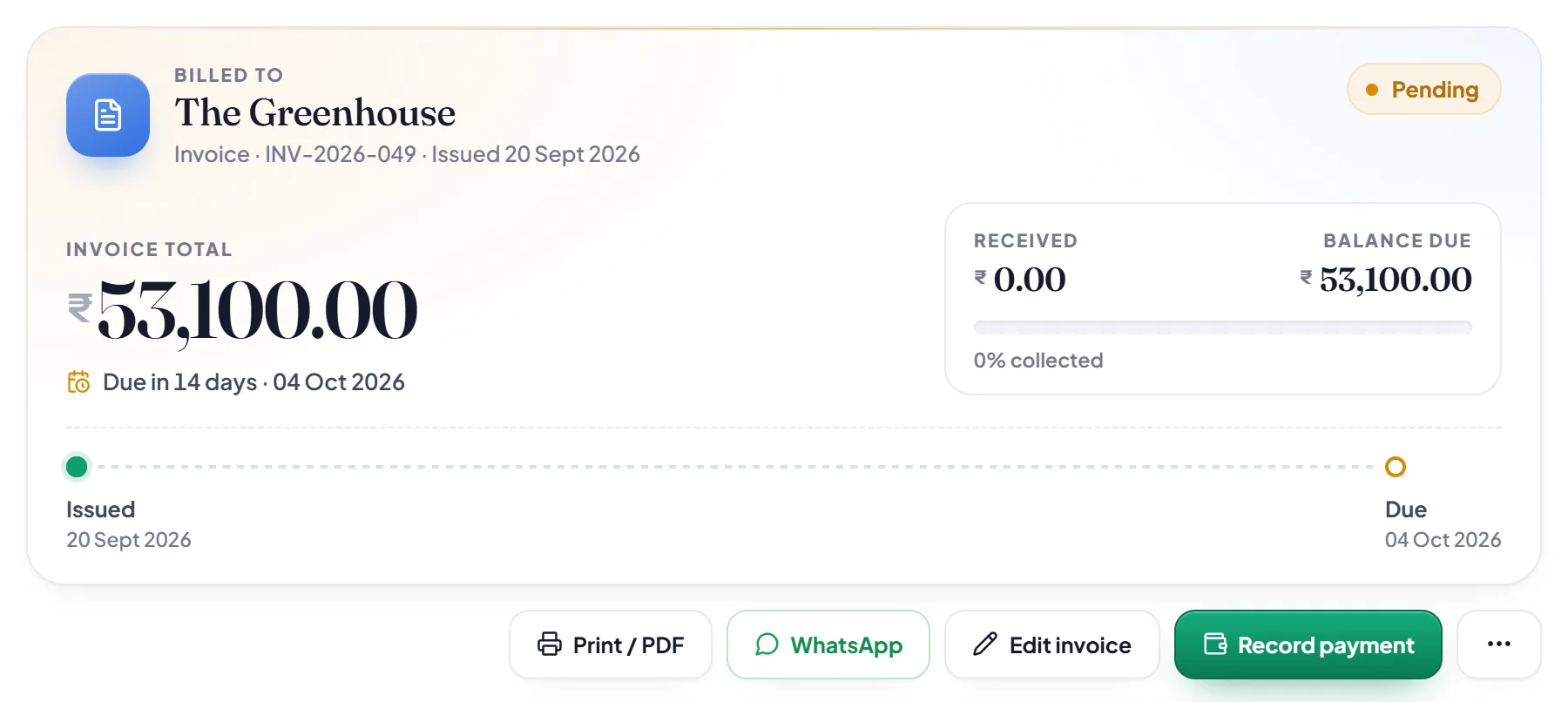
INV-2026-049 for The Greenhouse, the ₹53,100 invoice made from the quote, is on the phone and already in the browser at hisabtime.com/app.
hisabtime.com/app
7:20
Works offline
No signal? Keep billing.
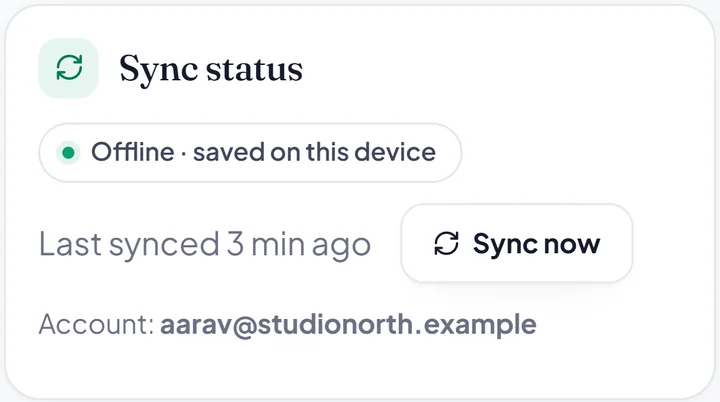
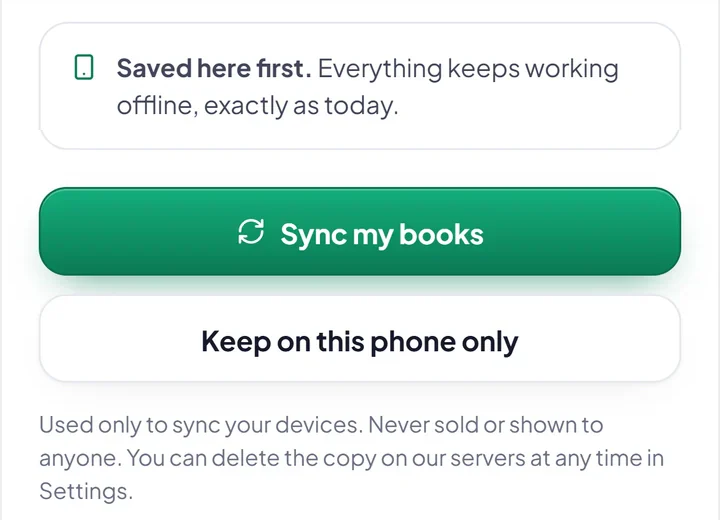
Saved on the phone first. It syncs by itself when you are back online.
7:24
You decide
Never sold. Never shown.
Sync starts only when you say yes. Your books are used only to sync your devices.
Encrypted
On the way, and on our servers.
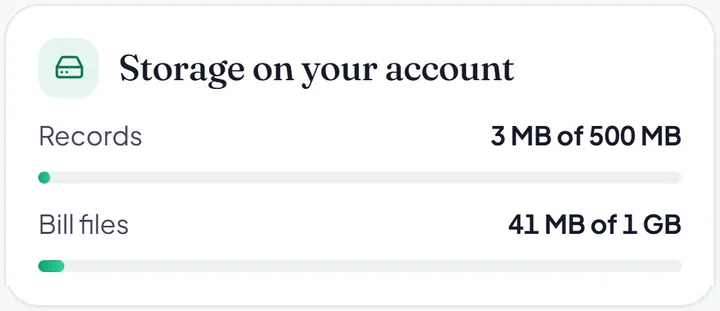
Settings shows what is kept on your account, and how much room it takes.
Yours to remove
Delete it any time.
Remove the copy on our servers from Settings, whenever you want. The books on your phone stay.
Your first 2 invoices are free, to try everything. After that, one plan: Hisab Time Pro, paid once and never renewed by itself. The quotation says it in writing; pick monthly or yearly and it does the sums.
2 invoices free, no card. Then ₹399 a month or ₹2,999 a year (₹1,789 less than 12 months). GST included. Paid once, never renews by itself. A GST tax invoice for every payment.
GSTIN auto-fillyour first 25 free, then ₹0.80 each, from prepaid credits. Optional.See credit packsHide credit packs
GSTIN auto-fill credits: the price of a search and what each credit pack buys
Item
Qty
Rate
Amount
GSTIN auto-fill, beyond the first 25From prepaid credits in your account, charged only when the details come back. Typing them by hand costs nothing.0100200300Worked out at 40 GSTINs a month.
40a month
₹0.80
₹32.00a month
Credit packsHow long each lasts at 40 a month, on a three-year rule
Credits never expire, and they belong to your account, not to one phone. Prices are final, in Indian rupees, and include 18% GST, paid once through Razorpay on hisabtime.com, with a GST tax invoice for every payment. See our refund and cancellation policy.
Quotation.
Quotation no.
QTN-2026-PRO1
Date
Today
Payment
One-time
Renews
Never
From
Technical Guider Makers of Hisab Time Shakur Basti, Delhi 110034 GSTIN 07DPRPG2302L1ZS support@hisabtime.com
Any business that bills with GST, on any phone or computer.
Hisab Time, on your phone and computer
What you get, and what it costs
No.
Item
Qty
Rate
Amount
01
Free trial, every featureYour first 2 invoices, with no card. What you make stays yours to open, share, print and export, always.
2invoices
₹0.00
₹0.00
02
Hisab Time ProUnlimited invoices. One payment that never renews by itself; buy again and the new time is added to the end.₹399.00 for 1 month, or ₹2,999.00 for 1 year.
1 month
₹399.00
₹399.00₹1,789 less than 12 months at ₹399.
03
GSTIN auto-fill, your first 25A ₹20 welcome credit when you sign in and confirm your email, once per account. Format and checksum checks are always free.
Two invoices free. Your first 2 invoices are free, with every feature and no card, so you can try Hisab Time on real work. After that, Hisab Time Pro is ₹399 for a month or ₹2,999 for a year, ₹1,789 less than 12 months. GSTIN auto-fill is separate and prepaid: your first 25 searches are free once you confirm your email, then ₹0.80 each. Prices include 18% GST and are final: nothing is added at checkout.
Does Pro renew by itself?
Never. Pro is one payment through Razorpay, for a month or a year. There is no autopay and nothing to cancel: when the time is up, Pro simply ends. Buy again whenever you like, and the new time is added to the end of your current Pro.
Do I need to install anything?
No. Open hisabtime.com/app in Chrome, Safari or Edge on any phone or computer, and sign in with Google or your email. To keep it a tap away, add it to your home screen and it opens like an app. The Google Play and App Store apps are on their way; see how to add it.
Does it work on iPhone?
Yes, in Safari. Open hisabtime.com/app in Safari and sign in. Tap Share, then Add to Home Screen, and Hisab Time sits on your home screen like any app. An App Store app is coming.
Is my business data safe?
It is yours. Your books are encrypted on the way and on our servers. They are used only to sync your devices, never sold and never shown to anyone, and you can delete them at any time from Account, in the app or on hisabtime.com. Our privacy policy explains the details.
Day one
What happens after my 2 free invoices?
Nothing is locked. Only making new invoices needs Pro. Every invoice you have made stays yours to open, share, print and export, and payments, quotations, purchase bills, reports and Cash Radar keep working. Quotations stay free, but turning one into an invoice counts as a new invoice, and deleting an invoice does not give a free one back.
Can I use it on my phone and my computer?
Yes, the same books. Sign in with the same account on your phone and at hisabtime.com/app on your computer, and the same businesses, invoices, customers, payments and purchase bills open on both. Pro and credits belong to your account, so they work everywhere you sign in. A backup file in Settings is a good idea either way.
Every month
Can Hisab Time file my GST returns or make e-invoices?
No. Hisab Time does not generate e-invoices (IRN) or e-way bills, and it does not file GST returns. It gives you clean tax invoices, HSN and ITC summaries and CSV exports that you or your accountant use when filing.
I file GST quarterly. Does Cash Radar fit?
Partly. Cash Radar places the GST on each month's sales on the 20th of the next month, the date monthly filers pay, without taking off input tax credit or following quarterly (QRMP) dates. Read its GST markers as an early, cautious warning. The other side, when each customer will really pay you, works the same either way.
Can my accountant use it?
Not with a login. Hisab Time has no team accounts. Share what your accountant needs straight from the app instead: each month's purchase bills as one ZIP with an ITC summary CSV, CSV exports from Reports, and your invoice PDFs.
Later
How do I buy Pro?
On our website.Sign in at hisabtime.com/account with Google or your email, choose a month or a year, and pay through Razorpay. Pro is then on your account, in your browser and on every device where you sign in. Every payment comes with a GST tax invoice on your account page, with your GSTIN on it if you add one, so you can claim the input tax credit.
Can I leave and take my data with me?
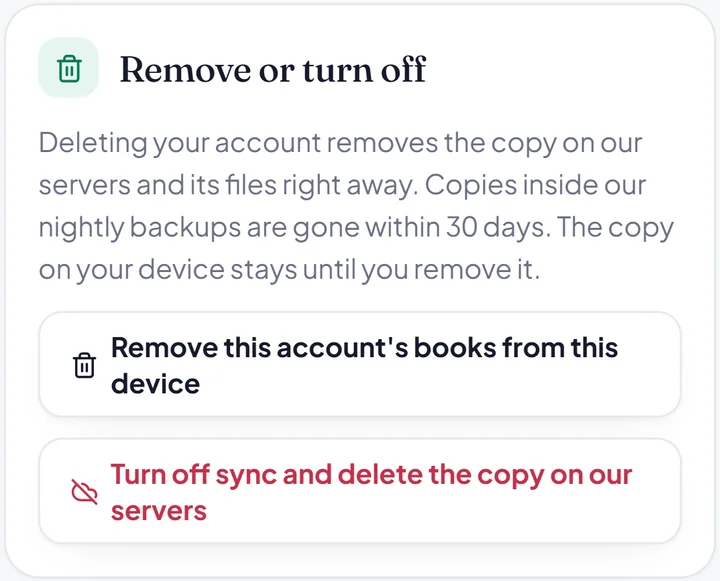
Yes, any time. Make a backup file in Settings, export your reports and purchase bills as CSV, and share or print any invoice as a PDF. When you are done, delete your account from Account, in the app or on hisabtime.com, and the copy of your books on our servers is deleted with it. How deleting works.
Can I get a refund?
When something went wrong. Pro never renews, so there is nothing to cancel. Unused Pro time and unused credits are not refunded, but we refund you in full if you were charged twice, if money was debited but the payment failed, if you were charged the wrong amount, or if your payment reached us after you deleted your account. Write to support@hisabtime.com with your Razorpay payment ID; an approved refund reaches your original payment method in 5 to 7 working days, with a GST credit note. Read the refund policy.
Accounts kept.On time.
Start in your browser on any phone or computer. Try 2 invoices free, then go Pro when it has earned its place.